Is your contact form GDPR-compliant? A practical checklist
What GDPR means for a simple website contact form, in plain English: lawful basis, privacy notices, consent checkboxes, data minimisation, retention, processors and visitor rights. Not legal advice, but a practical checklist.
If people in the EU or UK can reach your website, your contact form collects personal data under the GDPR (or UK GDPR): at minimum a name and an email address. That does not mean you need a lawyer for a simple form, but it does mean a few things should be in place.
1. Know your lawful basis
You need a legal reason to process the data. For a contact form, it is usually one of:
- Steps prior to a contract (Art. 6(1)(b)): someone asks for a quote or information about your services.
- Legitimate interests (Art. 6(1)(f)): answering general questions people send you.
- Consent (Art. 6(1)(a)): only needed for things the visitor would not expect, such as adding them to a newsletter.
For answering the message the visitor sent you, consent is often not the right basis, and a pre-ticked or mandatory "I agree" checkbox is not valid consent anyway.
2. Tell people what happens to their data
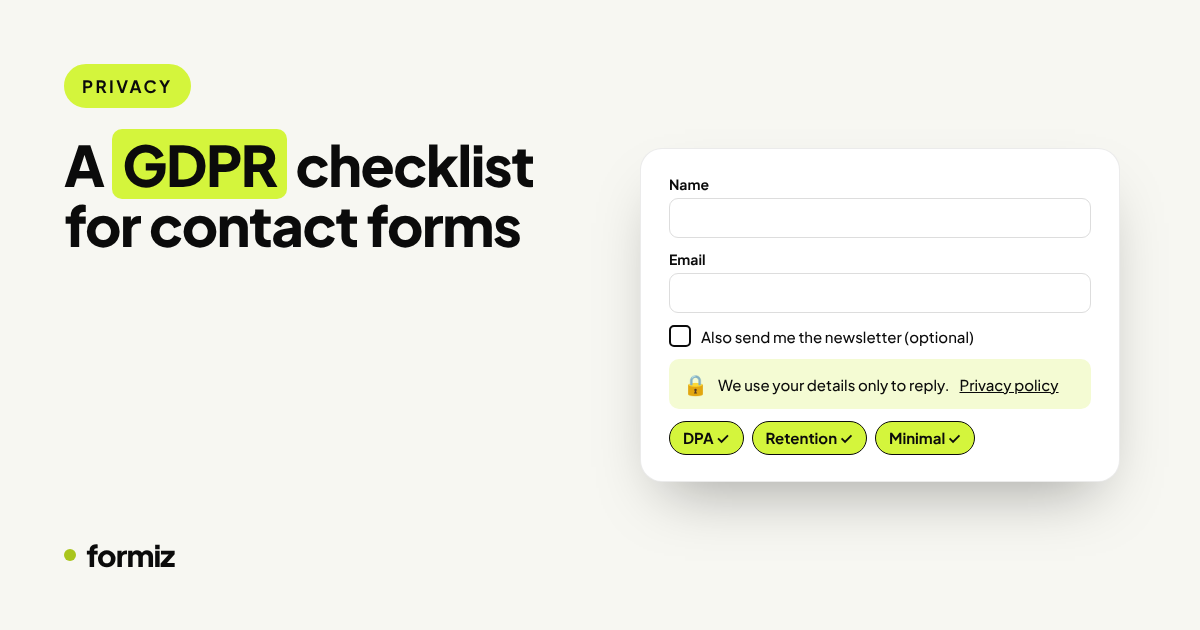
Put a short notice right next to the submit button and link to your privacy policy:
<p class="form-note">
  We use your details only to reply to your message.
  See our <a href="/privacy">privacy policy</a>.
</p>
Your privacy policy should cover who you are, what you collect through the form, why, how long you keep it, who processes it for you (your form backend, email provider, hosting) and how people can exercise their rights.
3. Use consent checkboxes only for extras
If you want to add the person to a mailing list, ask separately, unticked by default:
<label>
  <input type="checkbox" name="newsletter" value="yes">
  Also send me the monthly newsletter (optional)
</label>
Do not make it required to send the message.
4. Collect only what you need (data minimisation)
Every field is personal data you must protect and justify. Drop "date of birth", "address" or "phone" unless you actually use them. Never collect special-category data (health, religion, etc.) or ID numbers through a general contact form.
5. Choose processors carefully
When a service stores or transmits submissions for you, it is your processor, and GDPR requires a contract with it (a Data Processing Agreement, or DPA). Check that your form backend:
- Offers a DPA. Formiz publishes one at /dpa.
- Lists its own sub-processors. Formiz's list is at /subprocessors.
- Uses encryption in transit (HTTPS) and sensible access controls.
- Lets you export and delete submissions.
6. Set a retention period
Decide how long you keep enquiries. For example: delete leads that did not become customers after 12 months; move customer records into your normal business systems. Write the rule in your privacy policy and actually follow it. In Formiz you can export to CSV and delete submissions from the inbox.
7. Be ready for access and deletion requests
If someone asks what data you hold about them, or asks you to delete it, you need to find every place it lives: the form backend inbox, email notifications, chat notifications and any CRM you copied it into. Fewer copies make this easier, which is one argument for working from a single inbox instead of forwarding emails around.
8. Mind your notification channels
Notification emails and chat messages contain the submission. Make sure only the right people receive them, remove ex-employees promptly, and avoid forwarding enquiries to personal accounts.
9. Spam protection without tracking
Some CAPTCHAs load third-party scripts that set cookies or collect device data, which may require consent under ePrivacy rules. Invisible measures such as honeypots, rate limits and domain restriction protect your form without that issue. See stop contact form spam without a CAPTCHA.
Quick checklist
- Lawful basis identified (usually pre-contract steps or legitimate interests)
- Short notice next to the form, linking to the privacy policy
- Privacy policy names the processors that handle form data
- Optional consent (newsletter) is separate and unticked
- Only necessary fields
- DPA in place with your form backend and email provider
- Retention period defined and applied
- Process for access and deletion requests
- Notifications go only to people who need them
Get your form working in five minutes
Create a free Formiz key, add it to your form and receive submissions by email and Telegram. No server, no SMTP, no card.