How to stop contact form spam without a CAPTCHA
CAPTCHAs cost you real submissions. These layered, invisible techniques (honeypots, rate limits, domain restriction, time traps and simple validation) stop most contact form spam without annoying humans.
Put a contact form on the internet and within days the bots arrive: SEO offers, crypto pitches, links to sites you would rather not open. The reflex is to add a CAPTCHA. It works, but it also makes real people work, and some of them give up.
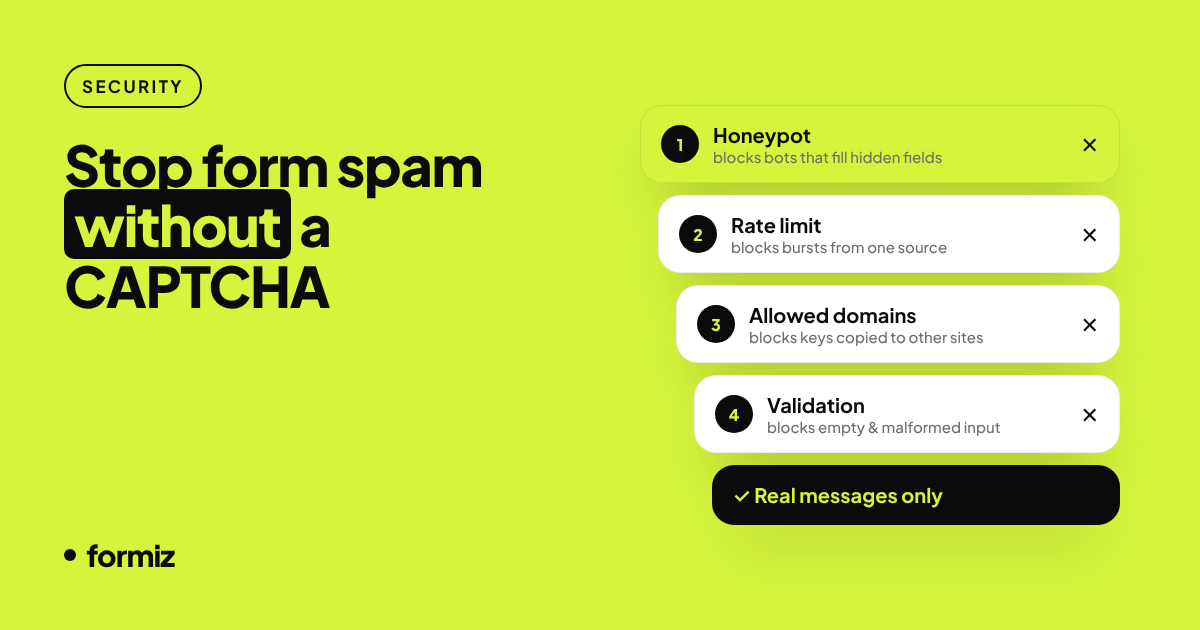
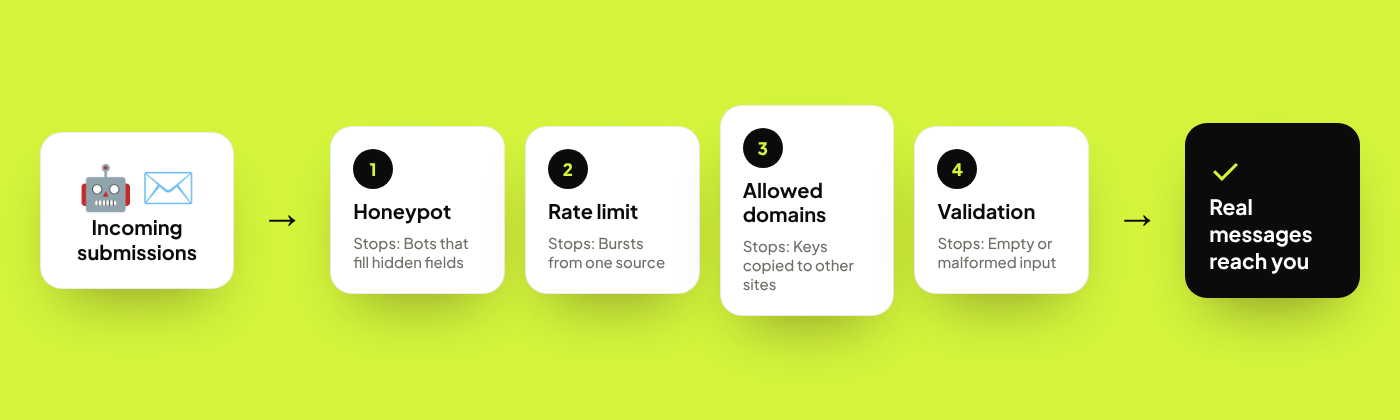
The better approach is layers of invisible checks. Each layer catches a different kind of bot, and humans never notice any of them.
Layer 1: A honeypot field
Most spam bots fill in every field they find. A honeypot is a field that real visitors never see, so anything that fills it is a bot.
<input type="checkbox" name="_honey" style="display:none" tabindex="-1" autocomplete="off">A few tips:
- Use
tabindex="-1"so keyboard users never land on it, andautocomplete="off"so password managers leave it alone. - Hide it with CSS rather than
type="hidden"; many bots skip hidden inputs. - When the honeypot is filled, pretend the submission succeeded. If you return an error, bots learn to avoid the field.
Formiz handles the _honey field this way: filled-in submissions get a normal success response and are silently discarded.
Layer 2: Rate limiting
A single bot often sends dozens of submissions in a burst. Limiting how many submissions one source can make per minute stops that pattern cold, while a human sending one or two messages is never affected.
If you build this yourself, rate-limit by a hash of the IP address (do not store raw IPs you do not need). Formiz blocks repeated submissions from the same visitor within a short window automatically.
Layer 3: Allowed domains
If your form posts to a public endpoint with a key in the HTML, a spammer can copy the key and post from anywhere. Restricting submissions to your own domains (checked against the request's Origin and Referer) shuts that down.
In Formiz: Settings → Allowed domains. Add example.com and subdomains such as www.example.com are covered too.
Layer 4: A time trap
Humans take at least a few seconds to fill in a form; bots take milliseconds. Record when the form was rendered and reject submissions that arrive impossibly fast:
<input type="hidden" name="rendered_at" id="rendered_at">
<script>document.getElementById('rendered_at').value = Date.now();</script>
On your side, compare the value with the submission time. Keep the threshold low (two or three seconds) so fast typists and autofill users are not blocked.
Layer 5: Sensible validation
Simple rules remove a surprising amount of junk:
- Use
type="email"andrequiredso the browser rejects empty and malformed submissions. - If your audience never sends links, flag messages with several URLs for review instead of delivering them instantly.
- Set a reasonable
maxlengthon text areas.
When you really do need a CAPTCHA
If a specific form is being targeted by a human-assisted spam campaign, invisible checks will not be enough. Then a privacy-friendly challenge such as Cloudflare Turnstile or hCaptcha is reasonable, ideally only on that form and in its "invisible" or "managed" mode so most visitors never see a puzzle.
A sensible default setup
For most small sites, this is enough:
- A honeypot field.
- Built-in rate limiting.
- Allowed domains set to your own site.
requiredandtype="email"on your inputs.
With Formiz the first three are on by default or a single setting away, and the fourth is plain HTML. Start with the static site guide for a form that includes all of them.
Bonus: spam hurts email deliverability too
Every spam submission you forward is an email that looks like spam, which trains inbox filters against your notifications. Filtering before delivery protects your real leads as well. More in why contact form emails go to spam.
Get your form working in five minutes
Create a free Formiz key, add it to your form and receive submissions by email and Telegram. No server, no SMTP, no card.