How to add a contact form to an Astro site (static, no server)
Add a working contact form to an Astro site without switching to server output or adding an adapter. Plain HTML first, with an optional progressive-enhancement script for inline success messages.
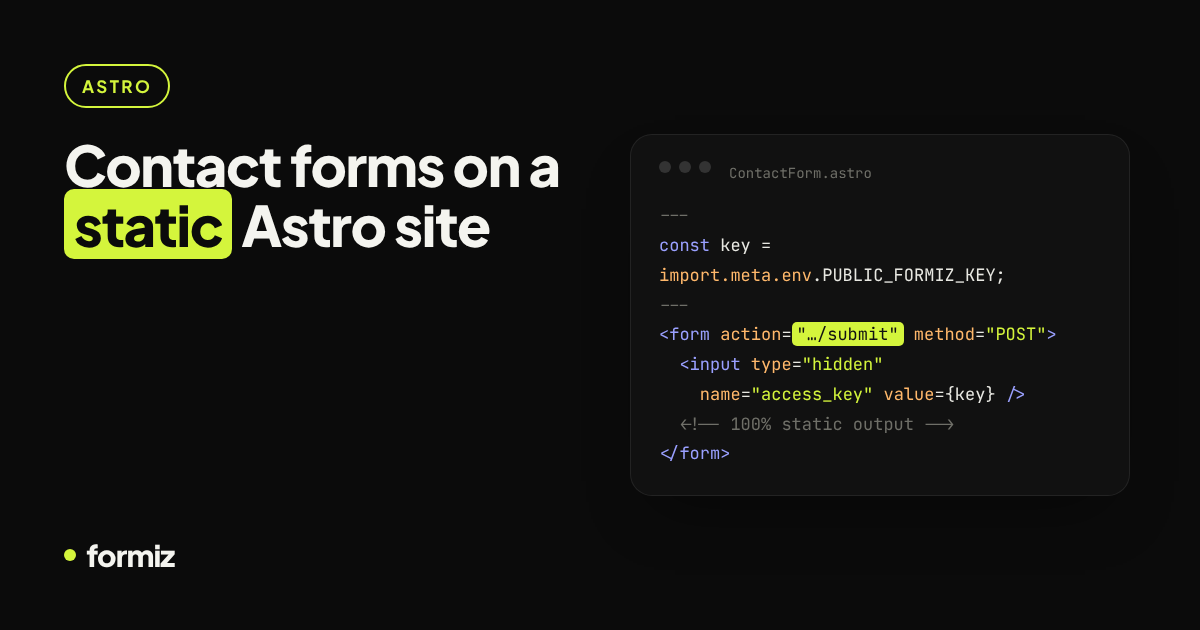
Astro's default output is static HTML, which is exactly why Astro sites are so fast. The trade-off: there is nothing running on the server to receive a form. You could switch to output: 'server' and add an adapter, but for a contact form that is a lot of moving parts.
A simpler route: let the form post to a form backend. Your site stays fully static, and every submission is emailed to you.
1. Create an access key
Sign up for Formiz, copy your access key and add your email under Channels → Email. Optionally connect Telegram for instant push notifications.
Store the key in .env with the PUBLIC_ prefix so Astro can inline it at build time:
PUBLIC_FORMIZ_KEY=fmz_your_key_here2. The component
Create src/components/ContactForm.astro:
---
const key = import.meta.env.PUBLIC_FORMIZ_KEY;
---
<form id="contact" action="https://api.formiz.app/submit" method="POST">
  <input type="hidden" name="access_key" value={key} />
  <input type="hidden" name="subject" value="New message from my Astro site" />
  <input type="hidden" name="redirect" value={new URL('/thanks', Astro.site).href} />
  <input type="checkbox" name="_honey" style="display:none" tabindex="-1" autocomplete="off" />

  <label for="name">Name</label>
  <input id="name" name="name" autocomplete="name" required />

  <label for="email">Email</label>
  <input id="email" name="email" type="email" autocomplete="email" required />

  <label for="message">Message</label>
  <textarea id="message" name="message" rows="5" required></textarea>

  <button type="submit">Send</button>
  <p id="contact-status" role="status" hidden></p>
</form>
Make sure site is set in astro.config.mjs so Astro.site resolves, and create a simple src/pages/thanks.astro page.
This already works with zero JavaScript: the browser posts the form, Formiz delivers it and redirects the visitor to your thank-you page.
3. Optional: inline success without a page change
Astro bundles <script> tags in components automatically. Add this below the form to send it with fetch when JavaScript is available:
<script>
  const form = document.getElementById('contact');
  const status = document.getElementById('contact-status');

  form.addEventListener('submit', async (event) => {
    event.preventDefault();
    const button = form.querySelector('button');
    button.disabled = true;
    try {
      const res = await fetch(form.action, { method: 'POST', body: new FormData(form) });
      const data = await res.json();
      if (!data.success) throw new Error(data.message);
      form.reset();
      status.textContent = 'Thanks! Your message has been sent.';
    } catch (err) {
      status.textContent = err.message || 'Something went wrong. Please try again.';
    } finally {
      status.hidden = false;
      button.disabled = false;
    }
  });
</script>
When the request comes from fetch, Formiz answers with JSON instead of redirecting, so the visitor stays on the page. If the script fails to load, the plain HTML form still works. That is progressive enhancement in about twenty lines.
4. Lock it down
- Under Settings → Allowed domains, add your production domain (and
localhostwhile testing if you like). Requests from other origins are rejected. - Keep the
_honeyfield; it silently discards most bots. - Built-in rate limiting blocks bursts of submissions from the same visitor.
Deploying
Because nothing changed about your output mode, deploy exactly as before: Netlify, Vercel, Cloudflare Pages or GitHub Pages. No adapter, no serverless function, no environment variables on the host other than the public key at build time.
Using a UI framework inside Astro?
If your form is a React, Vue or Svelte island, the same endpoint works from any of them. See the React version for a component with loading and error states.
Get your form working in five minutes
Create a free Formiz key, add it to your form and receive submissions by email and Telegram. No server, no SMTP, no card.