How to put a contact form in a modal (accessible, with the dialog element)
Build a contact form popup with the native HTML dialog element: focus handling, Escape to close, backdrop, inline success message and real email delivery, with minimal JavaScript.
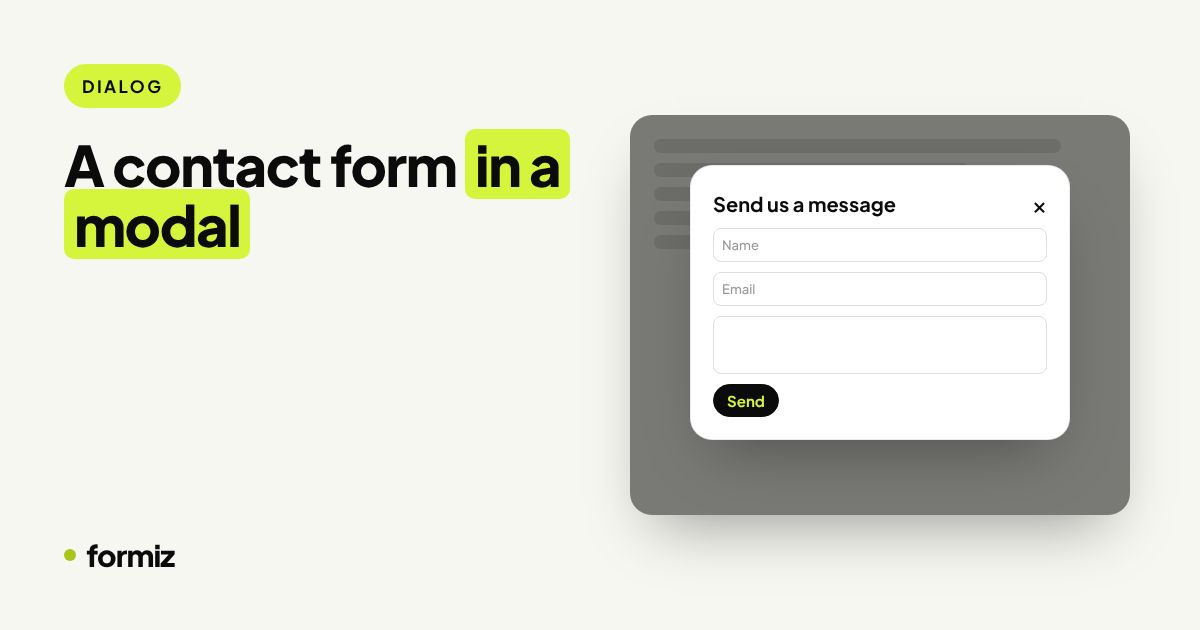
A "Contact us" button that opens a form in a modal keeps visitors on the page they are reading. It used to require a library to get focus trapping and keyboard handling right. Today the native <dialog> element does most of that for you.
The HTML
<button type="button" id="open-contact">Contact us</button>

<dialog id="contact-dialog" aria-labelledby="contact-title">
  <form id="contact" action="https://api.formiz.app/submit" method="POST">
    <header>
      <h2 id="contact-title">Send us a message</h2>
      <button type="button" class="close" aria-label="Close">×</button>
    </header>

    <input type="hidden" name="access_key" value="YOUR_ACCESS_KEY">
    <input type="hidden" name="subject" value="Message from the contact popup">
    <input type="checkbox" name="_honey" style="display:none" tabindex="-1" autocomplete="off">

    <label>Name <input name="name" autocomplete="name" required></label>
    <label>Email <input name="email" type="email" autocomplete="email" required></label>
    <label>Message <textarea name="message" rows="4" required></textarea></label>

    <button type="submit">Send</button>
    <p class="status" role="status"></p>
  </form>
</dialog>
Get a free access key at Formiz and add your email under Channels → Email.
The JavaScript
const dialog = document.getElementById('contact-dialog');
const form = document.getElementById('contact');
const status = form.querySelector('.status');

document.getElementById('open-contact').addEventListener('click', () => dialog.showModal());
dialog.querySelector('.close').addEventListener('click', () => dialog.close());

// Close when clicking the backdrop
dialog.addEventListener('click', (e) => {
  if (e.target === dialog) dialog.close();
});

form.addEventListener('submit', async (e) => {
  e.preventDefault();
  const btn = form.querySelector('[type="submit"]');
  btn.disabled = true;
  status.textContent = 'Sending…';
  try {
    const res = await fetch(form.action, { method: 'POST', body: new FormData(form) });
    const data = await res.json();
    if (!data.success) throw new Error(data.message);
    form.reset();
    status.textContent = 'Thanks! Your message has been sent.';
    setTimeout(() => dialog.close(), 2500);
  } catch (err) {
    status.textContent = err.message || 'Something went wrong.';
  } finally {
    btn.disabled = false;
  }
});
What <dialog> gives you for free
showModal()makes the rest of the page inert, so keyboard focus and screen readers stay inside the dialog.- Escape closes it.
- Focus moves into the dialog when it opens and returns to the button that opened it when it closes.
::backdroplets you style the dimmed overlay.
CSS
dialog {
  width: min(520px, calc(100% - 32px));
  padding: 24px;
  border: 0;
  border-radius: 16px;
  box-shadow: 0 30px 80px rgba(0, 0, 0, .3);
}
dialog::backdrop { background: rgba(10, 10, 10, .55); backdrop-filter: blur(2px); }
dialog form { display: grid; gap: 14px; }
dialog header { display: flex; justify-content: space-between; align-items: center; }
dialog .close { font-size: 28px; line-height: 1; background: none; border: 0; cursor: pointer; }
Good modal manners
- Only open on request. Pop-ups that appear on page load or exit intent annoy people and can hurt search rankings on mobile. A modal behind a clear button is fine.
- Keep it short. Three fields is ideal in a modal; longer forms deserve a page.
- Don't close on success immediately. Let people read the confirmation (the script waits 2.5 seconds).
- Keep a real contact page too. Some visitors look for
/contact, and a page can be linked from emails and search results. - Mobile: the CSS above keeps 16px margins; on very small screens consider full-height dialogs.
Tracking conversions
Since the visitor never leaves the page, fire your analytics event in the success branch. See how to track form submissions in GA4.
Related: accessible contact forms and submitting forms with fetch.
Get your form working in five minutes
Create a free Formiz key, add it to your form and receive submissions by email and Telegram. No server, no SMTP, no card.