How to add a contact form to an Eleventy (11ty) site
Add a working contact form to an Eleventy site with a reusable Nunjucks include and global data for the key. Static output, no serverless functions, submissions by email and Telegram.
Eleventy (11ty) generates pure static HTML, which is why it is so popular for blogs, docs and small business sites. It also means there is no server to handle a contact form. You could add a serverless function on your host, but then you are back to configuring an email provider.
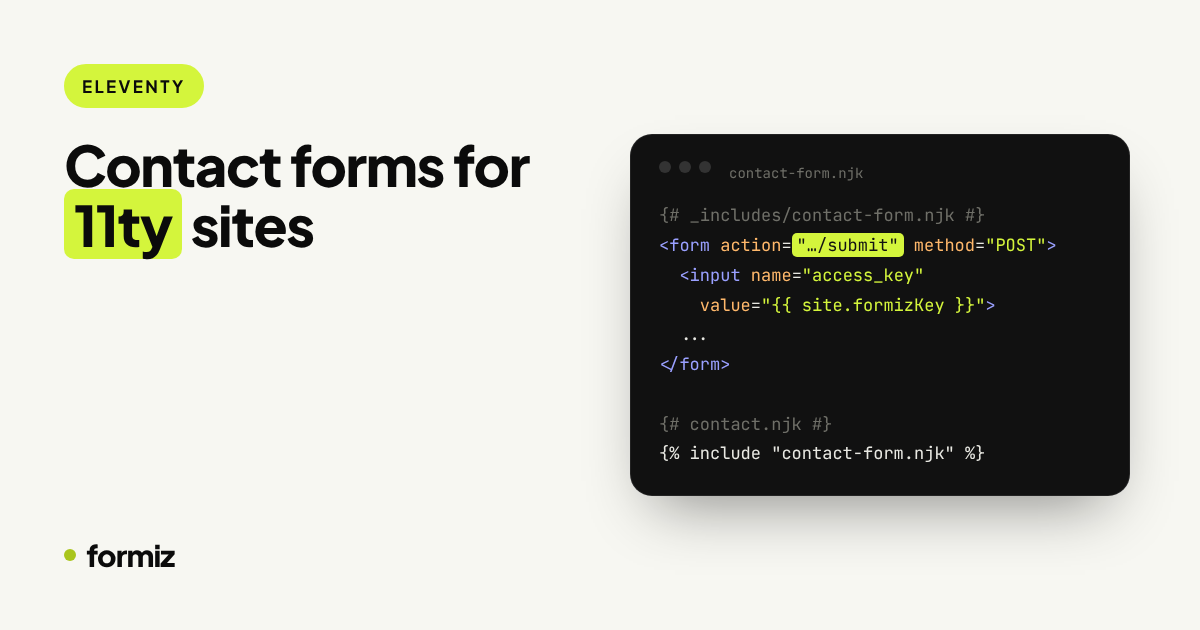
The lighter approach: a reusable Nunjucks include that posts to a form backend.
1. Get an access key
Sign up for Formiz, copy your access key and add your email under Channels → Email. Add your domain under Settings → Allowed domains.
2. Put the key in global data
Create _data/site.json (or add to an existing one):
{
  "url": "https://example.com",
  "formizKey": "fmz_your_key_here"
}
Global data files are available in every template as site.*.
3. Create the include
_includes/contact-form.njk:
<form class="contact-form" action="https://api.formiz.app/submit" method="POST">
  <input type="hidden" name="access_key" value="{{ site.formizKey }}">
  <input type="hidden" name="subject" value="{{ subject or 'New message from the website' }}">
  <input type="hidden" name="redirect" value="{{ site.url }}/thanks/">
  <input type="checkbox" name="_honey" style="display:none" tabindex="-1" autocomplete="off">

  <label for="cf-name">Name</label>
  <input id="cf-name" name="name" autocomplete="name" required>

  <label for="cf-email">Email</label>
  <input id="cf-email" name="email" type="email" autocomplete="email" required>

  <label for="cf-message">Message</label>
  <textarea id="cf-message" name="message" rows="6" required></textarea>

  <button type="submit">Send</button>
</form>
4. Use it
In a Nunjucks page such as contact.njk:
---
layout: base.njk
title: Contact
---
<h1>Contact</h1>
{% set subject = "New enquiry from the contact page" %}
{% include "contact-form.njk" %}
In a Markdown page, Eleventy processes Nunjucks by default too, so the same {% include %} works inside contact.md.
Then add thanks.md with a short confirmation message.
5. Optional: stay on the page
Add a small script to submit with fetch. The endpoint returns JSON for fetch requests, so you can swap the form for a success message:
<script>
  document.querySelectorAll('.contact-form').forEach((form) => {
    form.addEventListener('submit', async (e) => {
      e.preventDefault();
      const res = await fetch(form.action, { method: 'POST', body: new FormData(form) });
      const data = await res.json();
      form.outerHTML = data.success
        ? '<p role="status">Thanks! Your message has been sent.</p>'
        : '<p role="alert">' + (data.message || 'Something went wrong.') + '</p>';
    });
  });
</script>
If JavaScript fails, the plain form still posts and redirects. More on this pattern in thank-you pages and inline messages.
Why not a serverless function?
Netlify Functions or Cloudflare Workers can handle a form, but you still need an email provider with DNS records, spam protection and somewhere to store messages. The include above keeps your 11ty project 100% static and gives you:
- Email delivery from an authenticated domain, with the visitor as reply-to
- Honeypot and rate-limit spam filtering
- An inbox with stages, notes and CSV export
- Optional Telegram notifications
Get your form working in five minutes
Create a free Formiz key, add it to your form and receive submissions by email and Telegram. No server, no SMTP, no card.