HTML5 form validation: required, patterns and friendly error messages
Use the browser's built-in form validation (required, type, pattern, minlength) and the Constraint Validation API to give clear, accessible error messages without a library.
Before reaching for a validation library, check what the browser already gives you. HTML5 validation covers most contact and lead forms with zero JavaScript, and a small amount of script makes the messages friendlier.
The attributes that do most of the work
<input name="name" required minlength="2" maxlength="80" autocomplete="name">
<input name="email" type="email" required autocomplete="email">
<input name="phone" type="tel" pattern="[0-9+\(\)\-\s]{7,20}" autocomplete="tel">
<input name="website" type="url" placeholder="https://">
<input name="guests" type="number" min="1" max="500" step="1">
<textarea name="message" required minlength="10" maxlength="5000"></textarea>| Attribute | What it checks |
|---|---|
required | Not empty |
type="email" | Looks like an email address |
type="url" | Valid absolute URL |
minlength / maxlength | Text length |
min / max / step | Numeric range |
pattern | Regular expression (whole value must match; modern browsers compile it with the v flag, so escape (, ) and - inside brackets) |
The browser blocks submission and shows a message when a rule fails. On mobile, type="email", type="tel" and type="url" also bring up the right keyboard.
Do not show errors too early
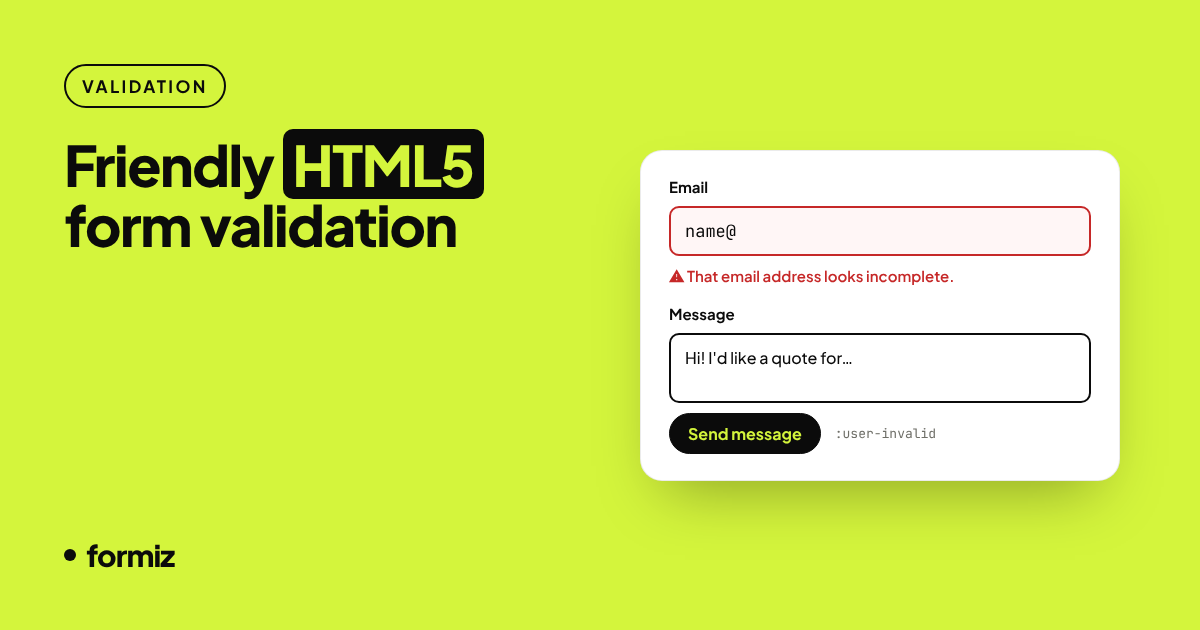
Red borders on fields the user has not touched yet feel hostile. Use the :user-invalid pseudo-class, which only applies after the user has interacted with the field or tried to submit:
input:user-invalid, textarea:user-invalid {
  border-color: #c62828;
  background: #fff6f6;
}
It is supported in all current major browsers. Avoid plain :invalid for styling: it matches empty required fields as soon as the page loads.
Friendlier messages with the Constraint Validation API
Default messages vary by browser and language, and some are vague ("Please match the requested format"). Replace them with your own:
const messages = {
  name: { valueMissing: 'Please tell us your name.' },
  email: {
    valueMissing: 'We need your email to reply.',
    typeMismatch: 'That email address looks incomplete.',
  },
  phone: { patternMismatch: 'Use digits, spaces and + only.' },
  message: { tooShort: 'Could you add a little more detail?' },
};

document.querySelectorAll('form [name]').forEach((field) => {
  field.addEventListener('invalid', () => {
    const custom = messages[field.name] || {};
    const key = Object.keys(custom).find((k) => field.validity[k]);
    field.setCustomValidity(key ? custom[key] : '');
  });
  field.addEventListener('input', () => field.setCustomValidity(''));
});
The important detail is clearing the custom message on input; otherwise the field stays invalid forever.
Inline error text (more accessible than tooltips)
Browser bubbles disappear quickly and are not great for screen readers. For important forms, render the message next to the field and link it with aria-describedby:
<label for="email">Email</label>
<input id="email" name="email" type="email" required aria-describedby="email-error">
<p id="email-error" class="field-error" hidden></p>form.addEventListener('submit', (e) => {
let firstInvalid = null;
form.querySelectorAll('[name]').forEach((field) => {
const error = document.getElementById(`${field.id}-error`);
if (!error) return;
const ok = field.checkValidity();
error.hidden = ok;
error.textContent = ok ? '' : field.validationMessage;
field.setAttribute('aria-invalid', String(!ok));
if (!ok && !firstInvalid) firstInvalid = field;
});
if (firstInvalid) {
e.preventDefault();
firstInvalid.focus();
}
});Add novalidate to the <form> when you take over like this, so the browser does not also show its own bubbles.
Client-side validation is not security
Anyone can bypass browser validation by posting directly to your endpoint. Always validate and filter on the receiving side too. A form backend such as Formiz rejects empty submissions, applies rate limits and drops honeypot hits server-side, so your inbox stays clean even when someone skips your front-end rules. See stop contact form spam without a CAPTCHA.
Quick checklist
- Use the right
typeandautocompletefor every field. - Mark only truly necessary fields as
required. - Style errors with
:user-invalid, not:invalid. - Write messages that say how to fix the problem.
- Move focus to the first invalid field on submit.
- Validate again on the server.
Related: accessible contact forms and contact form best practices.
Get your form working in five minutes
Create a free Formiz key, add it to your form and receive submissions by email and Telegram. No server, no SMTP, no card.