Nuxt 3 contact form: send submissions by email without a server route
Add a contact form to a Nuxt 3 or Nuxt 4 site that emails you every submission, using runtime config for the key and no server API route. Works with static generation.
Nuxt makes it easy to add a server route under server/api, so the first instinct for a contact form is to write one and call an email API. That works, but it means managing an email provider, DNS records and spam filtering, and it stops working if you generate a fully static site with nuxt generate.
A simpler option: post the form straight from the browser to a form backend. This guide shows the Nuxt way to do it.
1. Add the key to runtime config
Create a free Formiz account, copy your access key and add your email under Channels → Email.
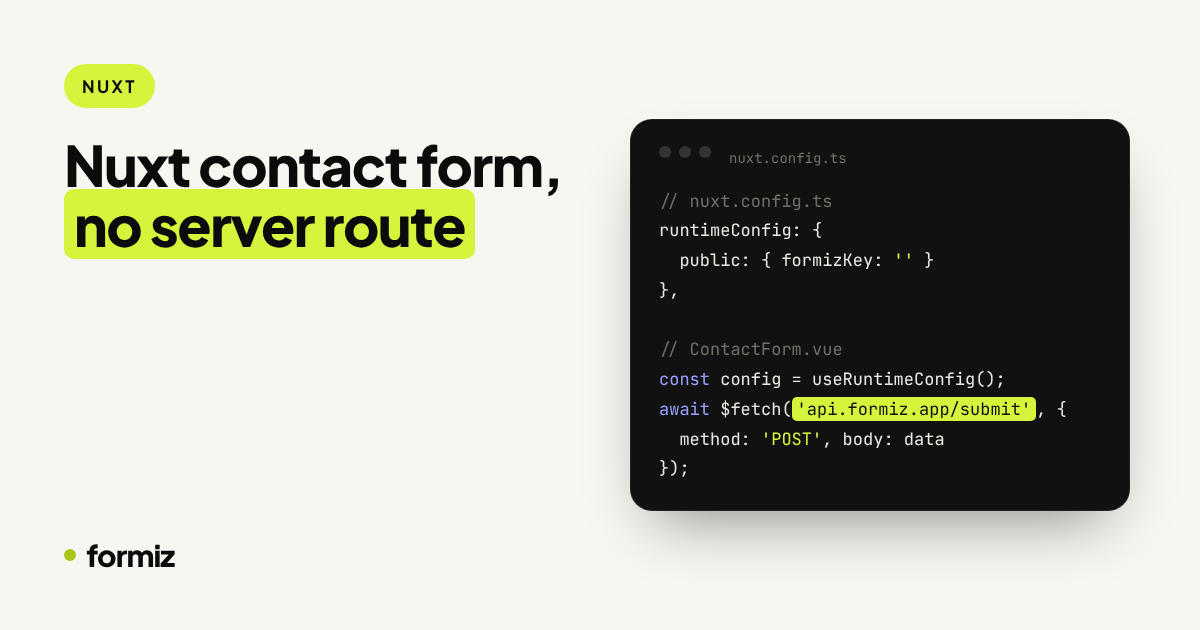
In nuxt.config.ts, declare a public runtime config value:
export default defineNuxtConfig({
  runtimeConfig: {
    public: {
      formizKey: '', // set by NUXT_PUBLIC_FORMIZ_KEY
    },
  },
});
Then set it in .env:
NUXT_PUBLIC_FORMIZ_KEY=fmz_your_key_herePublic runtime config is visible in the browser. That is expected here: the key can only send submissions to your channels. Restrict it to your domain under Settings → Allowed domains.
2. The component
<!-- components/ContactForm.vue -->
<script setup lang="ts">
const config = useRuntimeConfig();
const status = ref<'idle' | 'sending' | 'sent' | 'error'>('idle');
const error = ref('');

async function onSubmit(event: Event) {
  const form = event.target as HTMLFormElement;
  status.value = 'sending';
  error.value = '';

  const data = new FormData(form);
  data.append('access_key', config.public.formizKey);

  try {
    const res = await $fetch<{ success: boolean; message?: string }>('https://api.formiz.app/submit', {
      method: 'POST',
      body: data,
    });
    if (!res.success) throw new Error(res.message);
    form.reset();
    status.value = 'sent';
  } catch (err: any) {
    error.value = err?.data?.message || err.message || 'Something went wrong';
    status.value = 'error';
  }
}
</script>

<template>
  <p v-if="status === 'sent'" role="status">Thanks! Your message has been sent.</p>
  <form v-else @submit.prevent="onSubmit">
    <input type="checkbox" name="_honey" style="display:none" tabindex="-1" autocomplete="off" />
    <input type="hidden" name="subject" value="New message from the Nuxt site" />

    <label for="name">Name</label>
    <input id="name" name="name" required />

    <label for="email">Email</label>
    <input id="email" name="email" type="email" required />

    <label for="message">Message</label>
    <textarea id="message" name="message" rows="5" required />

    <button :disabled="status === 'sending'">{{ status === 'sending' ? 'Sending…' : 'Send' }}</button>
    <p v-if="status === 'error'" role="alert">{{ error }}</p>
  </form>
</template>
Nuxt auto-imports components, so <ContactForm /> works in any page.
$fetch throws on non-2xx responses, which is why the error message is read from err.data.message. The endpoint returns JSON like { "success": false, "message": "..." } when something is wrong, for example a missing field.
3. Static generation
Because the form only runs in the browser, it works the same with nuxt build (server rendering) and nuxt generate (static output). Deploy to Netlify, Vercel, Cloudflare Pages or any static host.
Why not a server route?
server/api/contact.post.ts | Form backend | |
|---|---|---|
| Email provider and DNS | You set them up | Not needed |
| Spam filtering | You build it | Honeypot, rate limits, allowed domains |
| Submissions stored | You build it | Inbox with stages and notes |
Works with nuxt generate | No | Yes |
If your app already has a database and you want submissions there, a server route makes sense. For marketing sites and portfolios, the form backend is less to maintain.
Next steps
- Get instant alerts with Telegram notifications.
- Plain Vue without Nuxt? See the Vue 3 guide.
Get your form working in five minutes
Create a free Formiz key, add it to your form and receive submissions by email and Telegram. No server, no SMTP, no card.