How to capture UTM parameters in your contact form (and know which campaign sent each lead)
Store utm_source, utm_medium, utm_campaign, the landing page and the referrer in hidden form fields, even when visitors browse several pages before contacting you. Copy-paste JavaScript included.
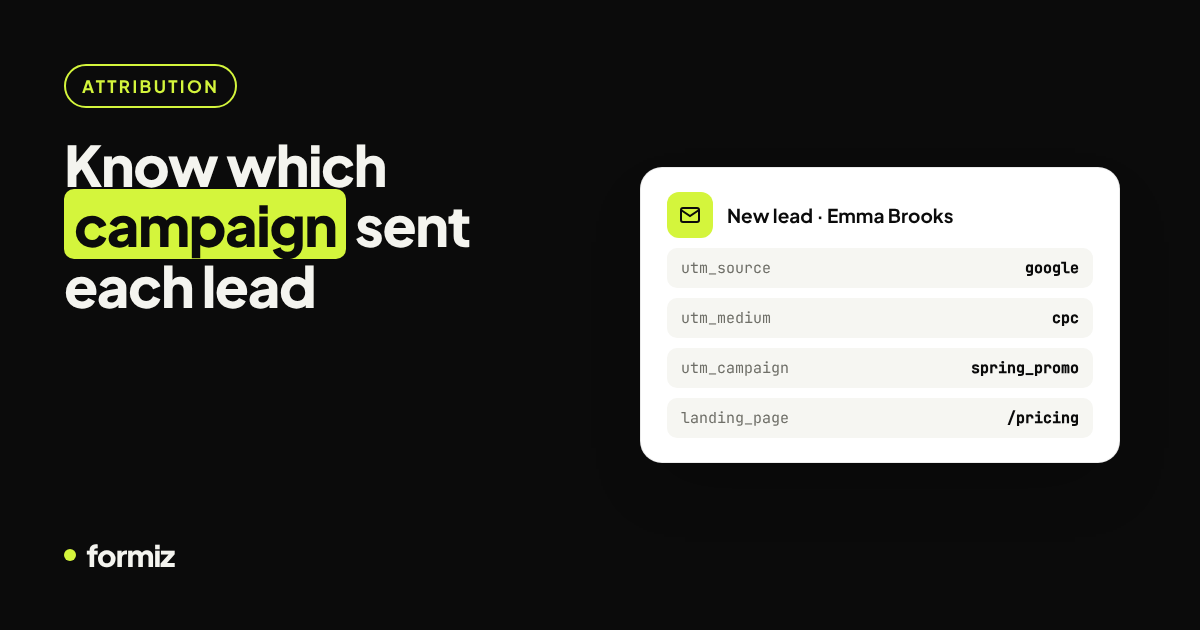
Analytics can tell you that your Google Ads campaign produced twelve form submissions last month. It cannot tell you which twelve people they were, or whether any of them became customers. Capturing UTM parameters in the form itself closes that gap: every lead arrives tagged with the campaign that brought it.
What to capture
| Field | Example | Source |
|---|---|---|
utm_source | Campaign URL | |
utm_medium | cpc | Campaign URL |
utm_campaign | spring_promo | Campaign URL |
utm_term | form backend | Campaign URL (search ads) |
utm_content | ad_variant_b | Campaign URL |
landing_page | /pricing | First page of the visit |
referrer | https://news.ycombinator.com/ | Where they came from |
The problem: people browse first
A visitor lands on /pricing?utm_source=google&utm_campaign=spring, reads two more pages, then fills in the form on /contact. By then the UTM parameters are gone from the URL. So store them on arrival and read them back when the form is submitted.
The script
Add this to every page (for example in your layout), before the closing </body>:
<script>
(function () {
  var KEYS = ['utm_source', 'utm_medium', 'utm_campaign', 'utm_term', 'utm_content'];
  var STORE = 'lead_attribution';
  var params = new URLSearchParams(location.search);
  var hasUtm = KEYS.some(function (k) { return params.has(k); });

  var saved = {};
  try { saved = JSON.parse(sessionStorage.getItem(STORE) || '{}'); } catch (e) {}

  // First touch in this session, or a new campaign click overrides it
  if (hasUtm || !saved.landing_page) {
    saved = { landing_page: location.pathname, referrer: document.referrer || '' };
    KEYS.forEach(function (k) { if (params.get(k)) saved[k] = params.get(k); });
    try { sessionStorage.setItem(STORE, JSON.stringify(saved)); } catch (e) {}
  }

  // Fill hidden inputs in every form on the page
  document.querySelectorAll('form').forEach(function (form) {
    Object.keys(saved).forEach(function (k) {
      if (!saved[k]) return;
      var input = form.querySelector('input[name="' + k + '"]');
      if (!input) {
        input = document.createElement('input');
        input.type = 'hidden';
        input.name = k;
        form.appendChild(input);
      }
      input.value = saved[k];
    });
  });
})();
</script>
It uses sessionStorage, so attribution lasts for the visit and does not follow the person around for weeks. Switch to localStorage if you want longer windows, and mention it in your privacy policy.
The form
Nothing special is needed; the script adds the hidden fields automatically:
<form action="https://api.formiz.app/submit" method="POST">
  <input type="hidden" name="access_key" value="YOUR_ACCESS_KEY">
  <input name="name" required>
  <input name="email" type="email" required>
  <textarea name="message" required></textarea>
  <button type="submit">Send</button>
</form>
With Formiz, every field with a name is delivered, so utm_source, utm_campaign and landing_page appear in the notification email and in the stored submission. Formiz also records the page the form was submitted from automatically.
Using the data
- Reply with context. A lead from your "agencies" campaign gets a different first reply than one from a blog post.
- Measure real outcomes. Move submissions to Won or Lost in the inbox, export to CSV each month and group by
utm_campaign. Now you know which campaign produces customers, not just clicks. - Ask Claude. With the Claude connector: "How many leads from utm_source=google became Won this month?"
Tag your links consistently
UTM data is only as good as your naming. Pick a convention and stick to it: lowercase, underscores, the same utm_source for the same platform (google, not sometimes Google and sometimes adwords).
Privacy
UTM parameters and referrers are not personal data on their own, but combined with a name and email they become part of a personal record. Mention in your privacy notice that you record how visitors found you. See the GDPR checklist for contact forms.
Related: track form submissions in GA4.
Get your form working in five minutes
Create a free Formiz key, add it to your form and receive submissions by email and Telegram. No server, no SMTP, no card.