Free HTML & CSS contact form template (responsive, no framework)
A modern, responsive contact form in plain HTML and CSS, with no framework or build step. Accessible labels, friendly validation styles, dark mode and real email delivery.
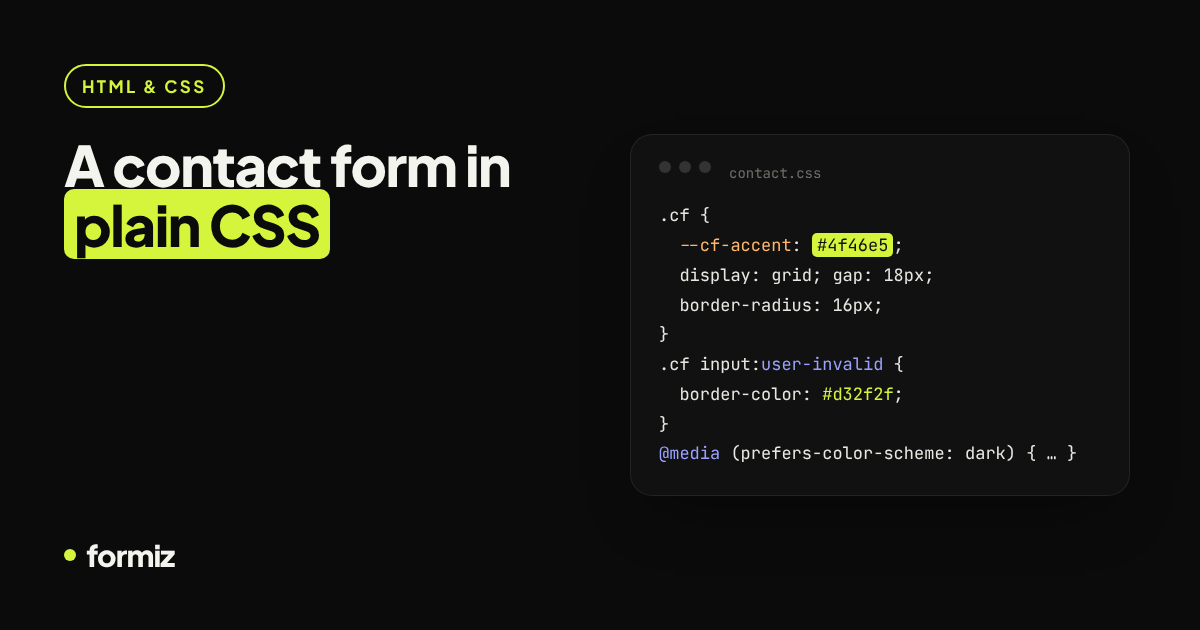
Need a contact form for a plain HTML site, a landing page or a one-page portfolio? Here is a complete template in vanilla HTML and CSS. No Tailwind, no Bootstrap, no build step. It is responsive, accessible, supports dark mode and actually sends messages.
HTML
<form class="cf" action="https://api.formiz.app/submit" method="POST">
  <input type="hidden" name="access_key" value="YOUR_ACCESS_KEY">
  <input type="hidden" name="subject" value="New message from the website">
  <input type="checkbox" name="_honey" class="cf-hp" tabindex="-1" autocomplete="off">

  <h2>Let's talk</h2>
  <p class="cf-lead">Tell us what you need. We reply within one business day.</p>

  <div class="cf-row">
    <label>Name
      <input name="name" autocomplete="name" required>
    </label>
    <label>Email
      <input name="email" type="email" autocomplete="email" required>
    </label>
  </div>

  <label>Message
    <textarea name="message" rows="5" required></textarea>
  </label>

  <button type="submit">Send message</button>
</form>
CSS
.cf {
  --cf-accent: #111;
  --cf-bg: #fff;
  --cf-text: #111;
  --cf-muted: #666;
  --cf-border: #d6d6d0;
  max-width: 560px;
  margin: 0 auto;
  padding: clamp(20px, 4vw, 36px);
  display: grid;
  gap: 18px;
  background: var(--cf-bg);
  color: var(--cf-text);
  border: 1px solid var(--cf-border);
  border-radius: 16px;
  font: 16px/1.5 system-ui, sans-serif;
}
.cf h2 { margin: 0; font-size: 1.6rem; letter-spacing: -0.02em; }
.cf-lead { margin: -8px 0 4px; color: var(--cf-muted); }
.cf-row { display: grid; gap: 18px; grid-template-columns: 1fr 1fr; }
.cf label { display: grid; gap: 6px; font-weight: 600; font-size: 0.92rem; }
.cf input, .cf textarea {
  font: inherit; font-weight: 400; color: inherit;
  padding: 11px 13px;
  background: transparent;
  border: 1.5px solid var(--cf-border);
  border-radius: 10px;
  transition: border-color .15s, box-shadow .15s;
}
.cf textarea { resize: vertical; min-height: 120px; }
.cf input:focus, .cf textarea:focus {
  outline: none;
  border-color: var(--cf-accent);
  box-shadow: 0 0 0 3px color-mix(in srgb, var(--cf-accent) 15%, transparent);
}
.cf input:user-invalid, .cf textarea:user-invalid { border-color: #d32f2f; }
.cf button {
  justify-self: start;
  font: inherit; font-weight: 700;
  padding: 12px 22px;
  color: var(--cf-bg); background: var(--cf-accent);
  border: 0; border-radius: 10px; cursor: pointer;
}
.cf button:hover { opacity: .88; }
.cf button:focus-visible { outline: 3px solid var(--cf-accent); outline-offset: 3px; }
.cf-hp { display: none; }

@media (max-width: 560px) { .cf-row { grid-template-columns: 1fr; } }

@media (prefers-color-scheme: dark) {
  .cf { --cf-accent: #f1f1ec; --cf-bg: #161616; --cf-text: #f1f1ec; --cf-muted: #a3a39e; --cf-border: #333; }
}
Make it yours
Everything is controlled by five CSS variables at the top. Change --cf-accent to your brand colour and you are done. For example --cf-accent: #4f46e5; for indigo.
Make it send
- Create a free Formiz account and copy your access key into the hidden
access_keyinput. - Add your email under Channels → Email (and connect Telegram if you want phone alerts).
- Publish the page and send a test.
Without JavaScript, visitors see a thank-you page after sending. Add a hidden redirect field to use your own page, or send the form with fetch for an inline message (how).
Why these details
- Labels wrap inputs: bigger click targets and correct screen reader announcements.
:user-invalid: red borders only after interaction, not on page load.font: inheritand 16px: consistent typography and no zoom-on-focus in iOS Safari.color-mix()focus ring: works with any accent colour; supported in all current browsers.- Single column on phones: faster to fill in on small screens.
Prefer a framework? See the Tailwind and Bootstrap versions.
Get your form working in five minutes
Create a free Formiz key, add it to your form and receive submissions by email and Telegram. No server, no SMTP, no card.