Event RSVP Form Template for Meetups, Workshops and Private Events
Free event RSVP form template: the fields to include, copy-paste HTML, a shareable link if you have no website, instant notifications and an exportable guest list.
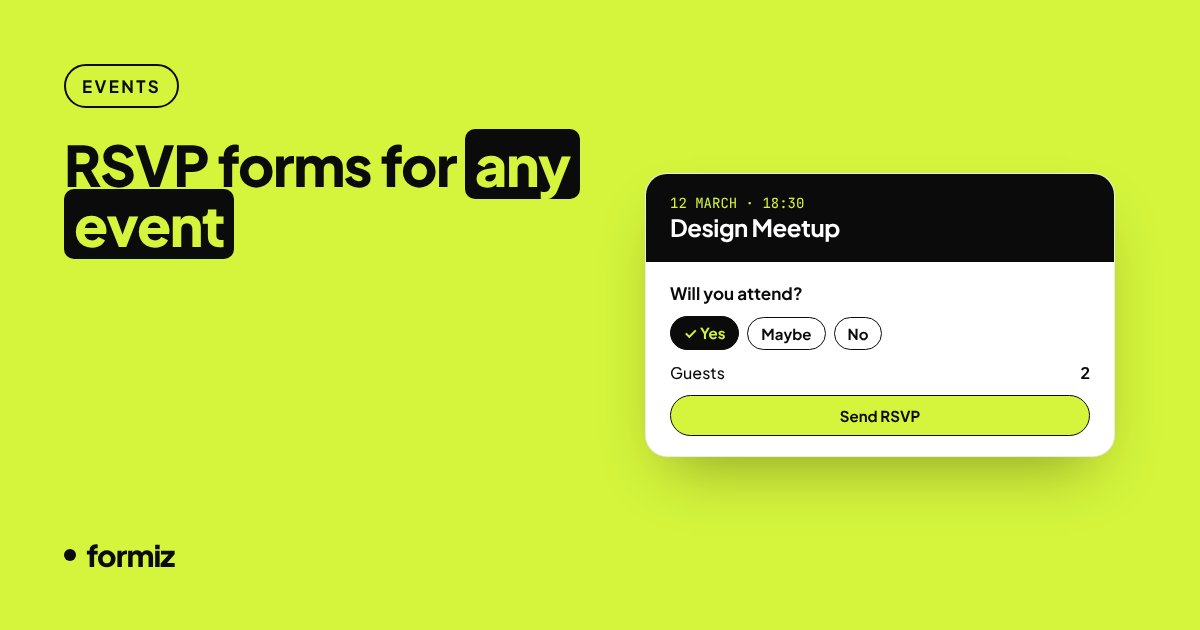
Not every event needs a ticketing platform. For a free meetup, a workshop with limited seats, a team offsite or a wedding, a simple RSVP form does the job: guests say yes or no, you get notified, and you have a guest list at the end.
Fields to include
Keep it short, but collect what you actually need on the day:
| Field | Type | Notes |
|---|---|---|
| Name | Text | Required |
| Required, for confirmations and updates | ||
| Attending? | Radio | Yes / No / Maybe |
| Number of guests | Number | If plus-ones are allowed |
| Session or option | Dropdown | Workshop slot, meal choice, T-shirt size… |
| Dietary needs or accessibility | Text | Optional; only if you will act on it |
| Message | Long text | Optional |
Copy-paste template
<form action="https://api.formiz.app/submit" method="POST" class="rsvp">
  <input type="hidden" name="access_key" value="YOUR_ACCESS_KEY">
  <input type="hidden" name="subject" value="RSVP: Design Meetup, 12 March">
  <input type="hidden" name="redirect" value="https://example.com/rsvp-thanks/">
  <input type="checkbox" name="_honey" style="display:none" tabindex="-1" autocomplete="off">

  <label>Name <input name="name" autocomplete="name" required></label>
  <label>Email <input name="email" type="email" autocomplete="email" required></label>

  <fieldset>
    <legend>Will you attend?</legend>
    <label><input type="radio" name="attending" value="Yes" required> Yes, I'll be there</label>
    <label><input type="radio" name="attending" value="Maybe"> Maybe</label>
    <label><input type="radio" name="attending" value="No"> Can't make it</label>
  </fieldset>

  <label>Number of people (including you)
    <input name="guests" type="number" min="1" max="4" value="1">
  </label>

  <label>Which session?
    <select name="session">
      <option>Morning workshop (10:00)</option>
      <option>Afternoon workshop (14:00)</option>
      <option>Evening talks only (18:30)</option>
    </select>
  </label>

  <label>Dietary needs or accessibility requirements <small>(optional)</small>
    <input name="needs">
  </label>

  <button type="submit">Send RSVP</button>
</form>
Replace YOUR_ACCESS_KEY with a free key from Formiz. Use a clear subject per event so RSVPs for different events are easy to filter.
No event website? Share a link
Build the same form in the Formiz form builder, publish it and share the hosted link in your invitation email, Meetup or LinkedIn post, WhatsApp group or a QR code on the poster. Step by step: forms without a website.
Get notified as RSVPs come in
Connect Telegram (or a co-organiser group) and every RSVP arrives instantly. Email notifications go to every organiser you add under Channels → Email (multiple recipients).
Managing the guest list
Every RSVP is stored in the inbox:
- Use stages as attendance status, for example Contacted when you have sent the confirmation and Won for confirmed attendees.
- Add notes for special arrangements.
- Export to CSV the day before the event for your check-in list and catering numbers. (See the pricing page for which plans include CSV export.)
Sending a confirmation
Use the thank-you page (the redirect above) to confirm the details immediately: date, time, address, what to bring, and a calendar link. Then reply to each RSVP from the notification email if you want a personal touch; the reply-to is the guest.
Tips for better turnout
- Ask for the RSVP close to the date you want commitment by, and state a deadline.
- Send a reminder two days before, with the address and a map link.
- Include "Maybe": it gives you a realistic headcount range instead of forcing a no.
- Cap the number of guests with
maxon the number field if space is limited.
Get your form working in five minutes
Create a free Formiz key, add it to your form and receive submissions by email and Telegram. No server, no SMTP, no card.