Job Application Form Template (HTML With CV Upload)
A free job application form template with CV upload, the fields to include and leave out, GDPR notes and instant notifications. Copy the HTML into any careers page.
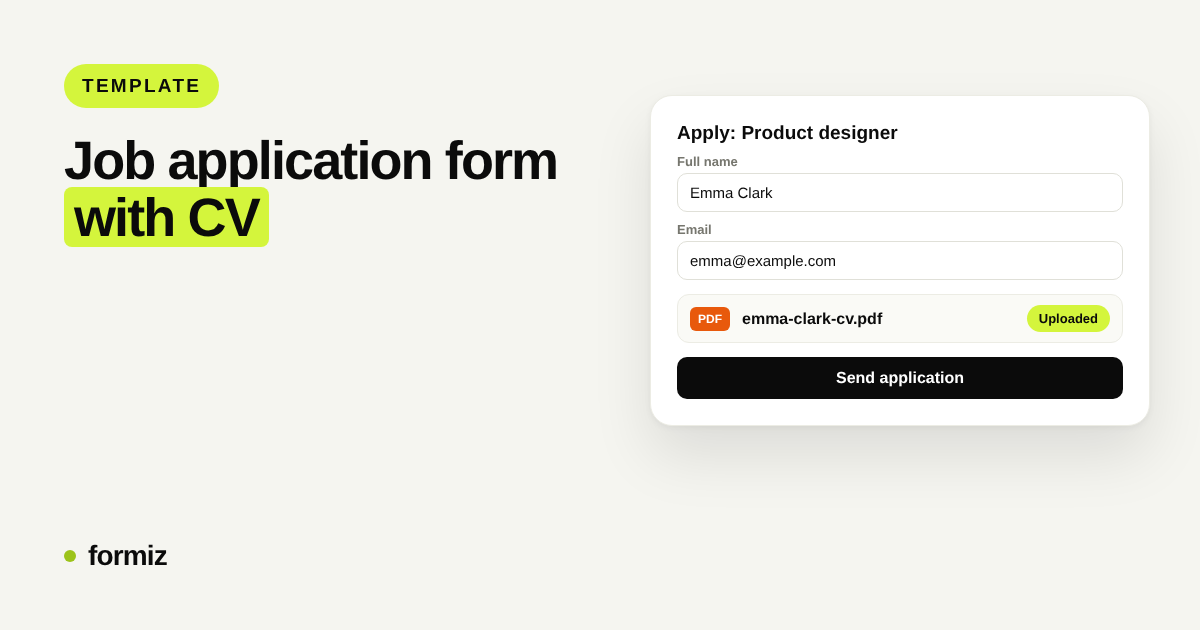
A careers page does not need an applicant tracking system to start hiring. For a small team, a well-built application form that sends each candidate to your inbox, with their CV attached, does the job.
This template is plain HTML, so it works on any site: static pages, WordPress, Webflow embeds, Next.js or a hosted form link if you have no website at all.
The fields that matter
Include:
- Full name and email (required)
- Phone (optional)
- The role they are applying for (a dropdown if you have several openings)
- CV upload (PDF)
- Portfolio, LinkedIn or GitHub link (optional)
- A short message: "Why this role?"
- A consent checkbox for storing their data
Leave out: date of birth, photo, nationality, marital status and anything else that is not needed to judge the application. It invites bias, may be unlawful to ask in many countries, and lowers completion.
The template
<form action="https://api.formiz.app/submit" method="POST" enctype="multipart/form-data" class="apply">
  <input type="hidden" name="access_key" value="YOUR_ACCESS_KEY">
  <input type="hidden" name="subject" value="New job application">
  <input type="hidden" name="redirect" value="https://example.com/careers/thanks">
  <input type="checkbox" name="_honey" style="display:none" tabindex="-1" autocomplete="off">

  <label for="name">Full name</label>
  <input id="name" name="name" autocomplete="name" required>

  <label for="email">Email</label>
  <input id="email" name="email" type="email" autocomplete="email" required>

  <label for="phone">Phone (optional)</label>
  <input id="phone" name="phone" type="tel" autocomplete="tel">

  <label for="role">Role</label>
  <select id="role" name="role" required>
    <option value="">Choose a role</option>
    <option>Frontend developer</option>
    <option>Product designer</option>
    <option>Customer success</option>
  </select>

  <label for="cv">CV (PDF, max 10 MB)</label>
  <input id="cv" name="cv" type="file" accept=".pdf" required>

  <label for="links">Portfolio, LinkedIn or GitHub</label>
  <input id="links" name="links" type="url" placeholder="https://">

  <label for="message">Why this role?</label>
  <textarea id="message" name="message" rows="5" required></textarea>

  <label class="check">
    <input type="checkbox" name="consent" value="yes" required>
    I agree that my application is stored for this hiring process (see the privacy notice).
  </label>

  <button type="submit">Send application</button>
</form>
Two details make it work: enctype="multipart/form-data" (otherwise only the file name is sent) and accept=".pdf" to steer people to the right format. Uploads are part of the Pro plan; details and limits are in HTML form file upload.
Basic styling
.apply { display: grid; gap: 8px; max-width: 560px; }
.apply label { font-weight: 600; margin-top: 10px; }
.apply input, .apply select, .apply textarea { padding: 12px; border: 1px solid #d0d0c8; border-radius: 10px; font: inherit; }
.apply .check { display: flex; gap: 10px; font-weight: 400; align-items: flex-start; }
.apply button { margin-top: 16px; padding: 14px; border: 0; border-radius: 10px; background: #0b0b0b; color: #fff; font-weight: 700; }
Handling applications
- Instant alert: send applications to a hiring channel on Slack or Discord, or to Telegram.
- Confirm receipt: an auto-reply like "Thanks {name}, we review every application within a week" removes a lot of anxious follow-up emails.
- Track candidates: use the inbox stages as a simple pipeline (New → Contacted → Proposal for interview → Won for hired, Lost for declined), with notes and an assigned reviewer per candidate.
- Spreadsheet: forward applications to Google Sheets if your team reviews them there.
Privacy and GDPR
Applications contain personal data, so:
- Explain in your privacy notice what you collect, why, and how long you keep it (for example, six months after the role is filled).
- Only ask for what you need, and delete applications when the retention period ends.
- Never ask for ID documents, bank details or health information in an application form.
More in contact forms and GDPR.
Get your form working in five minutes
Create a free Formiz key, add it to your form and receive submissions by email and Telegram. No server, no SMTP, no card.