Wedding RSVP Form for Your Wedding Website (Free HTML Template)
A free wedding RSVP form with attendance, plus-ones, meal choice and dietary needs. Copy it into any wedding website, get every reply by email and export the guest list.
Paper RSVP cards get lost, group chats get messy, and spreadsheets filled by hand get out of date. A simple RSVP form on your wedding website collects every answer in one place, with the details you actually need for the venue and caterer.
This template works on any site where you can add HTML: a custom wedding page, Carrd, Framer, WordPress or a static site.
What to ask
- Name(s) of the guests replying
- Email, for a confirmation and last-minute updates
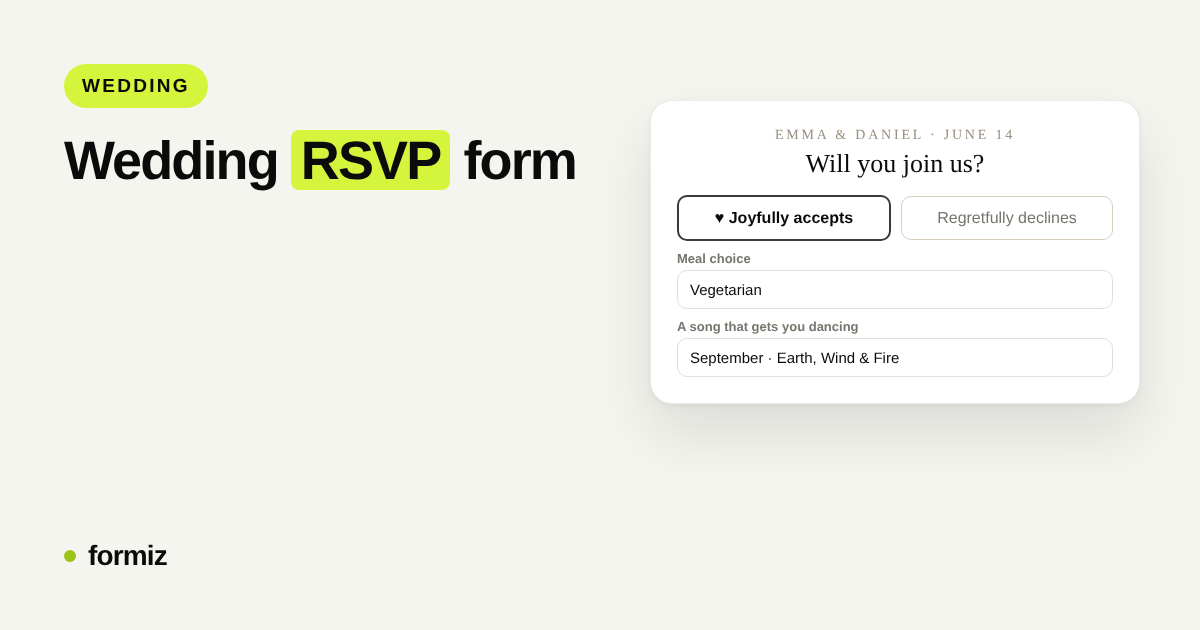
- Attending? Joyfully accepts / Regretfully declines
- Number of guests in the party (if you allow plus-ones)
- Meal choice per guest, if the caterer needs it in advance
- Dietary requirements or allergies
- A song request or a message for the couple (optional, but fun)
Keep it to one screen. Guests often reply on their phone.
The template
<form action="https://api.formiz.app/submit" method="POST" class="rsvp">
  <input type="hidden" name="access_key" value="YOUR_ACCESS_KEY">
  <input type="hidden" name="subject" value="New RSVP">
  <input type="hidden" name="redirect" value="https://example.com/rsvp-thanks">
  <input type="checkbox" name="_honey" style="display:none" tabindex="-1" autocomplete="off">

  <label>Your name(s) <input name="name" required></label>
  <label>Email <input name="email" type="email" required></label>

  <fieldset>
    <legend>Will you join us?</legend>
    <label><input type="radio" name="attending" value="Yes" required> Joyfully accepts</label>
    <label><input type="radio" name="attending" value="No"> Regretfully declines</label>
  </fieldset>

  <label>Number of guests
    <select name="guests">
      <option>1</option><option>2</option><option>3</option><option>4</option>
    </select>
  </label>

  <label>Meal choice
    <select name="meal">
      <option value="">Choose</option>
      <option>Beef</option><option>Fish</option><option>Vegetarian</option><option>Vegan</option>
    </select>
  </label>

  <label>Allergies or dietary needs <input name="dietary"></label>
  <label>A song that will get you dancing <input name="song"></label>
  <label>A note for the couple <textarea name="message" rows="3"></textarea></label>

  <button type="submit">Send RSVP</button>
</form>
A little styling
.rsvp { display: grid; gap: 12px; max-width: 520px; margin: 0 auto; font-family: Georgia, serif; }
.rsvp label { display: grid; gap: 6px; }
.rsvp input, .rsvp select, .rsvp textarea { padding: 12px; border: 1px solid #d9cfc1; border-radius: 8px; font: inherit; background: #fffdf9; }
.rsvp fieldset { border: 1px solid #d9cfc1; border-radius: 8px; padding: 12px 16px; display: grid; gap: 8px; }
.rsvp fieldset label { display: flex; gap: 10px; align-items: center; }
.rsvp button { padding: 14px; border: 0; border-radius: 8px; background: #3b3a36; color: #fff; font: inherit; font-size: 17px; }
Confirm every reply automatically
Guests love knowing their RSVP arrived. Turn on an auto-reply like:
With "include a copy of their answers" on, guests can double-check their meal choice.
Keep the guest list in one place
- Every RSVP lands in your inbox, searchable by name.
- Export to CSV for the caterer and seating plan, or send each reply straight to Google Sheets.
- Get a Telegram ping for every reply if you like watching them roll in.
Tips
- Set a deadline on the page ("Please reply by May 1") and send a reminder to anyone missing a week before.
- Name the plus-one policy clearly, so guests do not have to guess.
- One form per household is easiest; ask for all names in the first field.
For other events, see the general event RSVP form.
Get your form working in five minutes
Create a free Formiz key, add it to your form and receive submissions by email and Telegram. No server, no SMTP, no card.