HTML Form File Upload Without a Backend (Receive Files by Email)
Let visitors attach files to your HTML contact form and receive them by email, Telegram or webhook. Copy-paste code, size limits, accepted types and security tips. No PHP, no server.
Quote requests come with drawings. Job applications come with CVs. Support requests come with screenshots. A plain contact form makes people send a second email with the attachment, and half of them never do.
Adding a file field to an HTML form is easy. Receiving the file is the hard part, because a static site has no server to store it. This guide covers both.
The HTML you need
Two things turn a normal form into an upload form: enctype="multipart/form-data" on the form, and an input of type file.
<form action="https://api.formiz.app/submit" method="POST" enctype="multipart/form-data">
  <input type="hidden" name="access_key" value="YOUR_ACCESS_KEY">
  <input type="checkbox" name="_honey" style="display:none" tabindex="-1" autocomplete="off">

  <label for="name">Name</label>
  <input id="name" name="name" required>

  <label for="email">Email</label>
  <input id="email" name="email" type="email" required>

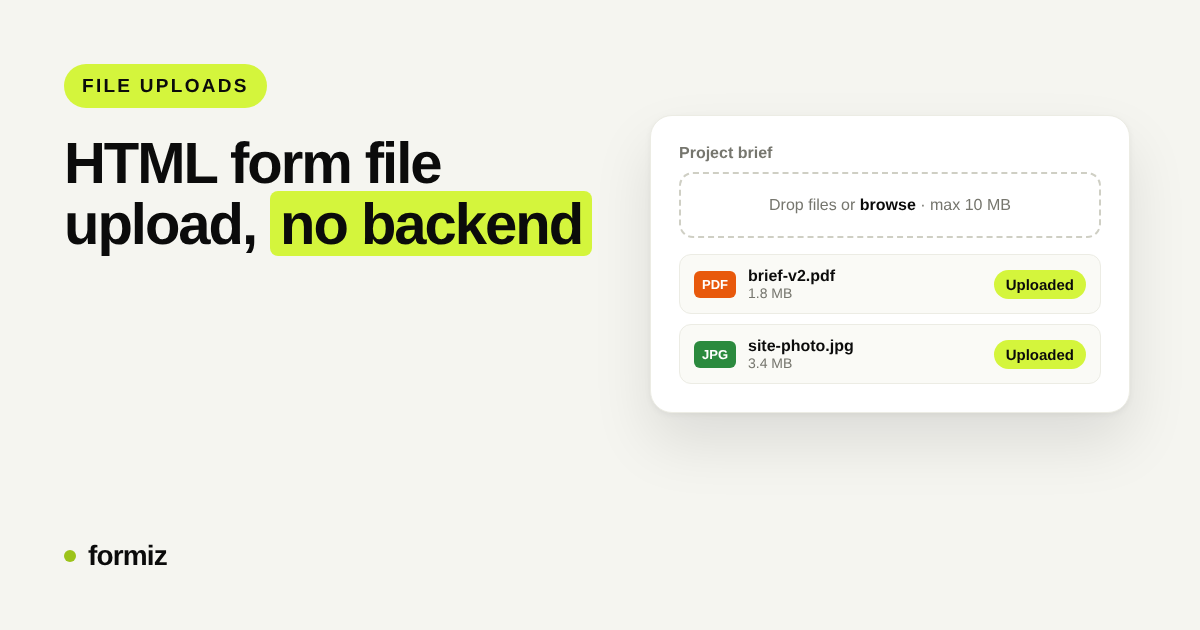
  <label for="brief">Project brief (PDF or image, max 10 MB)</label>
  <input id="brief" name="brief" type="file" accept=".pdf,.png,.jpg,.jpeg">

  <label for="message">Message</label>
  <textarea id="message" name="message" required></textarea>

  <button type="submit">Send</button>
</form>
Without enctype="multipart/form-data" the browser sends only the file name, not the file. It is the most common reason "the upload doesn't work".
Multiple files
Add multiple to let visitors pick several files at once:
<input name="attachments" type="file" multiple accept=".pdf,.jpg,.png">Sending with JavaScript
If you submit with fetch, pass the form to FormData and do not set the Content-Type header yourself; the browser adds the correct multipart boundary:
const form = document.querySelector('form');
form.addEventListener('submit', async (e) => {
  e.preventDefault();
  const res = await fetch(form.action, { method: 'POST', body: new FormData(form) });
  const data = await res.json();
  form.outerHTML = data.success ? '<p>Thanks! Files received.</p>' : `<p>${data.message}</p>`;
});
More on this in submitting a form with fetch.
Where do the files go?
With Formiz, uploaded files are stored in private storage and linked everywhere the submission goes:
- Email notifications show each file name as a download link.
- Telegram messages include the link under the field.
- Webhooks list every file in a
filesarray with name, size, type and URL, ready for Make, n8n or Zapier. - Your inbox keeps a download button on the submission.
Links in notifications expire after 7 days so they cannot be shared forever. The files stay downloadable from the dashboard, where only you and your teammates can open them.
File uploads are part of the Pro plan. On the Free plan the submission still arrives, with a note next to the file name.
Limits to tell your visitors
| Limit | Value |
|---|---|
| Size per file | 10 MB |
| Total per submission | 25 MB |
| Files per submission | 5 |
Mention the limit in the label, as in the example above, and check it in the browser before the upload starts. Nobody likes waiting for a large upload only to see an error:
const input = document.querySelector('input[type=file]');
input.addEventListener('change', () => {
  const tooBig = [...input.files].some((f) => f.size > 10 * 1024 * 1024);
  input.setCustomValidity(tooBig ? 'Each file must be 10 MB or smaller.' : '');
});
Security and privacy tips
- Use
acceptto steer people to the right type, but do not rely on it: it is only a hint to the file picker. - Do not open unexpected executables. Treat
.exe,.js,.htmland macro-enabled Office files from strangers with care, as you would email attachments. - Do not ask for sensitive documents. ID cards, payment cards and medical records need a purpose-built, compliant system, not a contact form.
- Mention files in your privacy notice and delete them when you no longer need them. See contact forms and GDPR.
Troubleshooting
| Problem | Fix |
|---|---|
| Only the file name arrives | Add enctype="multipart/form-data" to the form. |
| "A file is larger than 10 MB" | Compress the file or ask for a link (Google Drive, Dropbox) instead. |
Upload works locally but not with fetch | Remove the manual Content-Type header. |
| Huge phone photos | Ask for screenshots, or resize images in the browser before uploading. |
Want visitors to get a confirmation that their files arrived? Add an auto-reply with a copy of their answers.
Get your form working in five minutes
Create a free Formiz key, add it to your form and receive submissions by email and Telegram. No server, no SMTP, no card.