How to make an HTML form send email without PHP
HTML alone cannot send email, and mailto links are unreliable. Here is how to make a plain HTML form deliver submissions to your inbox without PHP, a server or any JavaScript.
"How do I make my HTML form send an email?" is one of the most searched web development questions, and the honest answer is: HTML cannot do it on its own. Something has to receive the form and send the email.
For years that something was a PHP script. Today you have better options. This guide walks through them and ends with a copy-paste solution that needs no PHP and no JavaScript.
Why mailto: is not the answer
You can write <form action="mailto:you@example.com">, and it looks like it works. It does not, for most visitors:
- It opens the visitor's own email app, if they have one configured. Many people use webmail and have no default mail app at all.
- The visitor sees a pre-filled, oddly formatted email and has to press send again.
- You get no confirmation, no spam filtering and no record of the message.
Treat mailto: as a link, not a form handler.
Why PHP mail() is fading
The classic approach was a contact.php file that calls mail(). It still works on shared hosting, but:
- Messages sent this way often fail SPF and DKIM checks and land in spam. We explain why in why contact form emails go to spam.
- Modern hosts such as Netlify, Vercel, Cloudflare Pages and GitHub Pages do not run PHP at all.
- A badly written script can be abused to send spam from your server.
The modern approach: post to a form backend
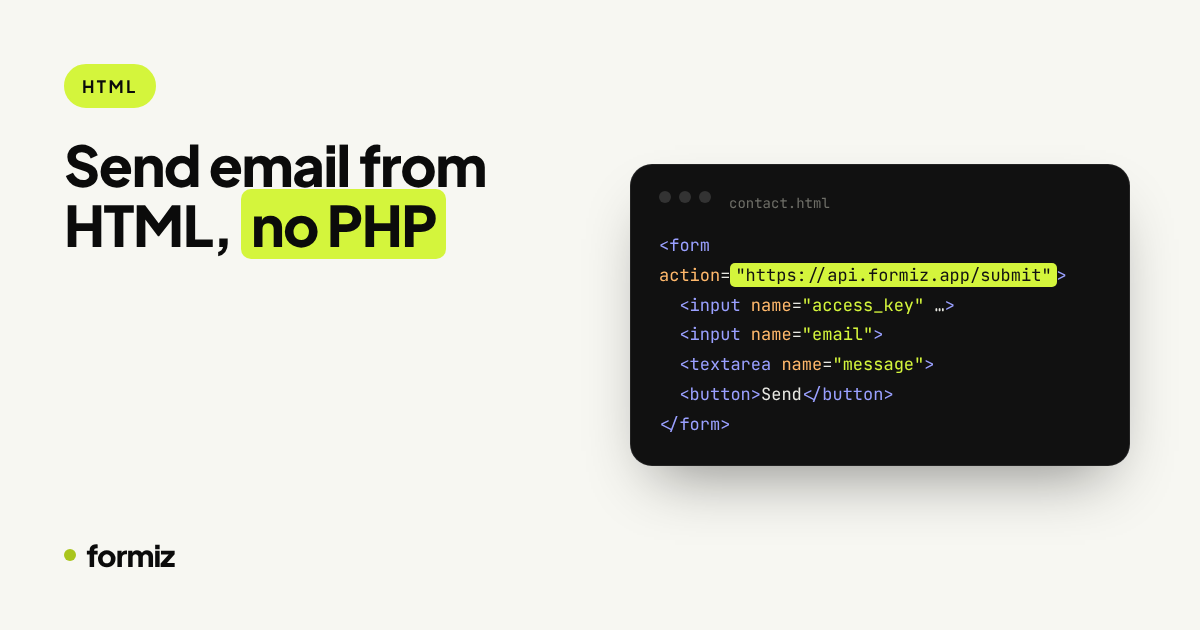
A form backend is an HTTPS endpoint built to receive forms. It reads the fields, filters spam and emails you from a properly authenticated sending domain. Your HTML stays exactly as it is, except for the action URL:
<form action="https://api.formiz.app/submit" method="POST">
  <input type="hidden" name="access_key" value="YOUR_ACCESS_KEY">
  <input type="hidden" name="subject" value="New contact form message">
  <input type="checkbox" name="_honey" style="display:none" tabindex="-1" autocomplete="off">

  <input name="name" placeholder="Your name" required>
  <input name="email" type="email" placeholder="Your email" required>
  <textarea name="message" placeholder="Your message" required></textarea>

  <button type="submit">Send</button>
</form>
Replace YOUR_ACCESS_KEY with the key from your free Formiz dashboard and add your email address under Channels. That is the entire setup.
What the email looks like
Each field becomes a labelled row in a clean notification email that works on mobile and in dark mode. The message also shows which page it came from. And because the form has an email field, it is used as the reply-to address: press Reply and you are answering the visitor directly.
Controlling the details
| Hidden field | What it does |
|---|---|
subject | Subject line of the notification |
from_name | Sender name shown in your inbox |
reply_to | Override the reply-to address |
redirect | Send visitors to your own thank-you page |
_honey | Honeypot; filled-in submissions are dropped |
Any other field is delivered as-is, in the order it appears in the form.
Do I need JavaScript?
No. A normal form submission redirects the visitor to a hosted thank-you page (or your own, via redirect). If you want an inline success message instead, send the form with fetch and you get a JSON response. The static site guide has a ten-line script for that.
Getting notified faster than email
Inbox notifications are easy to miss. Connect Telegram in the dashboard and every submission also arrives as a push notification on your phone. See form submissions to Telegram.
Get your form working in five minutes
Create a free Formiz key, add it to your form and receive submissions by email and Telegram. No server, no SMTP, no card.