Send HTML Form Submissions to Google Sheets (No Apps Script)
Add every website form submission as a new row in Google Sheets using a webhook and Make or n8n. No Apps Script, no CORS errors, no exposed sheet. Step-by-step setup.
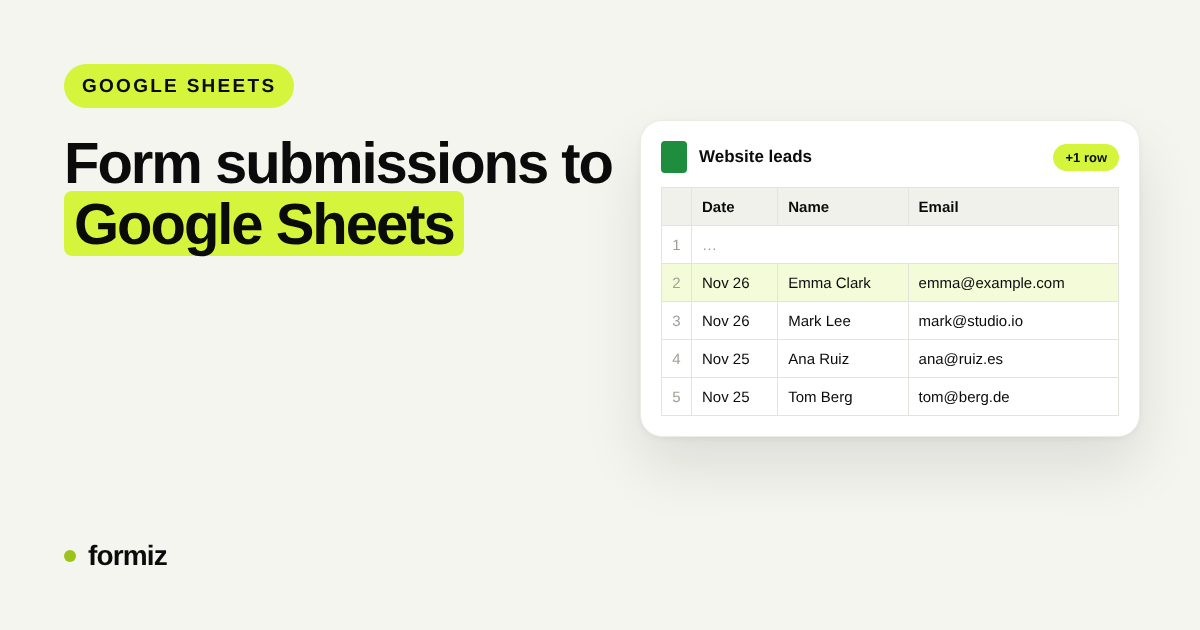
A spreadsheet is still the most common "CRM" in the world, and for good reason: everyone can open it, filter it and share it. Getting form submissions into Google Sheets automatically saves a lot of copy and paste.
The popular tutorial uses Google Apps Script: you publish a script as a web app and point your form at it. It works, but it comes with problems.
Why not Apps Script?
- CORS errors when submitting with
fetch, and confusing redirects without it. - No spam filtering. Bots fill your sheet as happily as people do.
- No notifications. You still have to check the sheet to know a lead arrived.
- Fragile deployments. Each script change needs a new deployment, and quotas and permission prompts are easy to trip over.
- A public endpoint that writes straight into your sheet.
A cleaner setup: the form posts to a form backend, which filters spam, notifies you, and forwards each clean submission to Google Sheets through a webhook.
What you need
- A form that sends to Formiz (see adding a contact form to a static website if you do not have one yet)
- A Google Sheet with a header row, for example:
Date | Name | Email | Message | Page - A free Make or n8n account
Webhooks are part of the Pro plan.
Option A: Make
- Create a new scenario and add Webhooks → Custom webhook as the first module. Copy the URL.
- In Formiz, go to Channels → Webhooks, paste the URL and click Add webhook.
- Back in Make, click Run once, then submit your form. Make detects the data structure.
- Add Google Sheets → Add a row, connect your Google account and choose the spreadsheet and sheet.
- Map the columns: Date →
created_at, Name →data.name, Email →data.email, Message →data.message, Page →page. - Save the scenario and switch it on.
From now on every submission becomes a new row within seconds.
Option B: n8n
- Add a Webhook node (method
POST) and copy its production URL into Formiz. - Add a Google Sheets node with the operation Append Row.
- Map the values, for example
{{ $json.body.data.email }}for the Email column. - Activate the workflow and send a test submission.
Tips for a tidy sheet
- Keep field names stable. The mapping uses names like
data.email. If you rename a field in your HTML, update the mapping too. - Add a Status column for your own follow-up (New, Contacted, Won). Or use the built-in lead inbox, which has stages, notes and assignees already.
- Store the page URL to see which page converts; add UTM parameters to see which campaign.
- File uploads arrive as links in
files[].url. Links expire after 7 days, so save the files elsewhere if you need them longer. See file uploads in HTML forms. - Mind personal data. Share the sheet only with the people who need it, and include it in your privacy notice. See contact forms and GDPR.
What you get compared with Apps Script
| Apps Script web app | Form backend + webhook | |
|---|---|---|
| Spam filtering | No | Honeypot, rate limits, allowed domains |
| Email / chat notification | Extra code | Built in |
| CORS issues | Common | None |
| Backup if the sheet breaks | No | Every submission saved in the inbox |
| Setup time | 30 to 60 min | About 10 min |
Prefer your team to see new rows as messages too? Add a second webhook to Slack or Discord.
Get your form working in five minutes
Create a free Formiz key, add it to your form and receive submissions by email and Telegram. No server, no SMTP, no card.