Send Website Form Submissions to Slack or Discord (No Bot, No Code)
Post every contact form submission to a Slack or Discord channel as a readable message. Create an incoming webhook, paste it once, and your team sees new leads instantly.
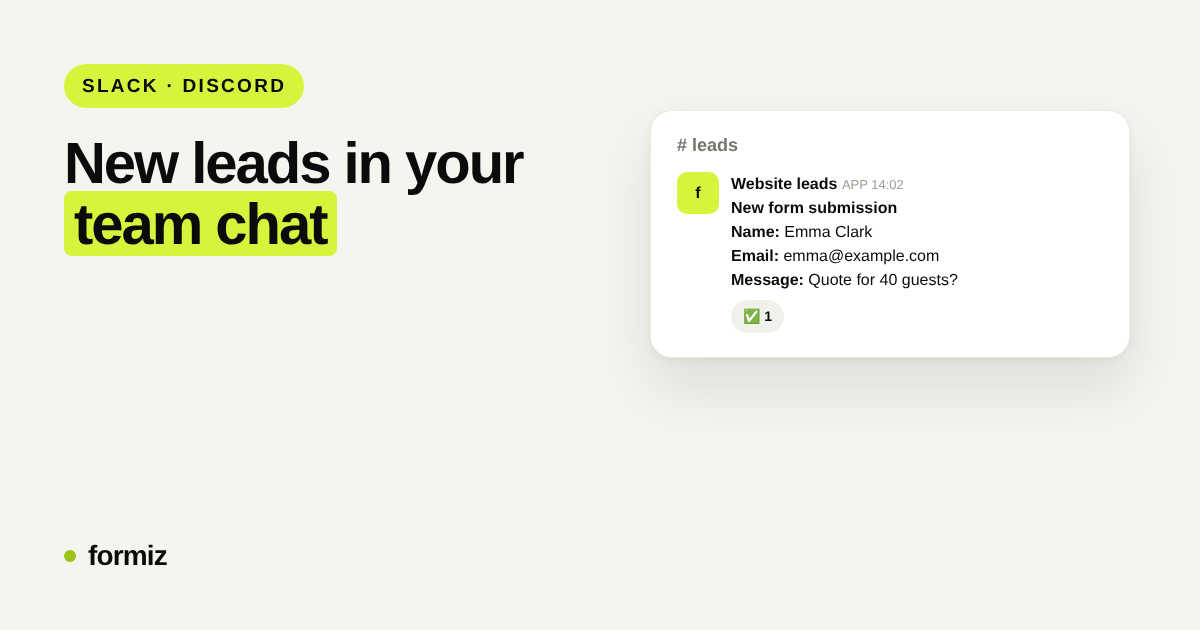
If your team lives in Slack or Discord, that is where new enquiries should appear. A message in a #leads channel gets seen in minutes, can be discussed in a thread, and does not depend on one person checking a shared inbox.
Both apps support incoming webhooks: a private URL that posts a message to one channel. Point your form backend at that URL and every submission becomes a chat message.
Step 1: Create an incoming webhook
In Slack
- Go to api.slack.com/apps and create an app (from scratch) in your workspace.
- Open Incoming Webhooks and switch it on.
- Click Add New Webhook to Workspace, choose the channel (for example
#leads) and allow it. - Copy the URL. It starts with
https://hooks.slack.com/services/.
In Discord
- Open the channel's settings (the gear next to its name).
- Go to Integrations → Webhooks → New Webhook.
- Give it a name and avatar, such as "Website leads", then Copy Webhook URL.
Treat these URLs like passwords: anyone with the link can post in the channel.
Step 2: Paste it into Formiz
- Open your dashboard and go to Channels → Webhooks.
- Paste the Slack or Discord URL and click Add webhook.
- Submit your form once to test it.
Formiz recognises Slack and Discord URLs and sends a formatted chat message, the subject in bold followed by each field on its own line, instead of raw JSON. Attached files from upload fields appear as links. Webhooks are part of the Pro plan.
You can add up to five webhooks per project, for example one Slack channel for sales and one Discord channel for support, and pause or remove them from the same page.
Making the channel useful
A notification is only the start. A few habits make a leads channel work:
- Claim with a reaction. Whoever takes the lead adds 👀 or ✅ so nobody replies twice.
- Discuss in the thread, not in the channel, to keep it scannable.
- One channel per site or client. Agencies can give each client project its own channel; each Formiz project has its own webhooks. See forms for agency client websites.
- Track the outcome somewhere permanent. Chat scrolls away. Move the lead through Contacted, Proposal and Won in the lead inbox so nothing is forgotten.
Slack, Discord, Telegram or email?
| Channel | Best for |
|---|---|
| Slack | Teams that already work in Slack; threads per lead |
| Discord | Communities, gaming, creator and dev teams |
| Telegram | Owners and small teams who want phone push notifications |
| An archive and replying directly to the visitor |
They are not exclusive. A common setup is email for the record, plus one chat channel for speed.
Troubleshooting
- Nothing appears: check the webhook card in the dashboard. "HTTP 404" means the webhook was deleted in Slack or Discord; create a new one.
- Messages are cut off: chat apps limit message length (Discord at 2,000 characters). Very long answers are shortened in chat but stay complete in your inbox and email.
- Spam in the channel: turn on the honeypot field and allowed domains. See stopping spam without a CAPTCHA.
Need the submission in another tool as well, such as a CRM or a spreadsheet? Add a second webhook for Make, n8n or Zapier, or follow sending form submissions to Google Sheets.
Get your form working in five minutes
Create a free Formiz key, add it to your form and receive submissions by email and Telegram. No server, no SMTP, no card.