Managing contact forms across client websites: a workflow for agencies and freelancers
Every client site needs a working form, and every client wants their leads fast. A practical workflow for setting up, separating and maintaining forms across many client websites.
If you build websites for clients, you know the pattern: the site launches, the client is happy, and three weeks later they call: "We haven't had a single enquiry. Is the form broken?" Usually it is not broken. The notifications are in spam, or going to an old address, or the hosting changed and mail() stopped working.
Contact forms are small, but across twenty client sites they become a real maintenance job. Here is a workflow that keeps it under control.
Principles
- One standard way to handle forms on every site, regardless of CMS or host.
- Separation per client: their leads, their recipients, their team.
- Visibility for you: you can check every client's forms are working from one place.
- Speed for the client: leads reach the right person in seconds.
The setup
One project per client
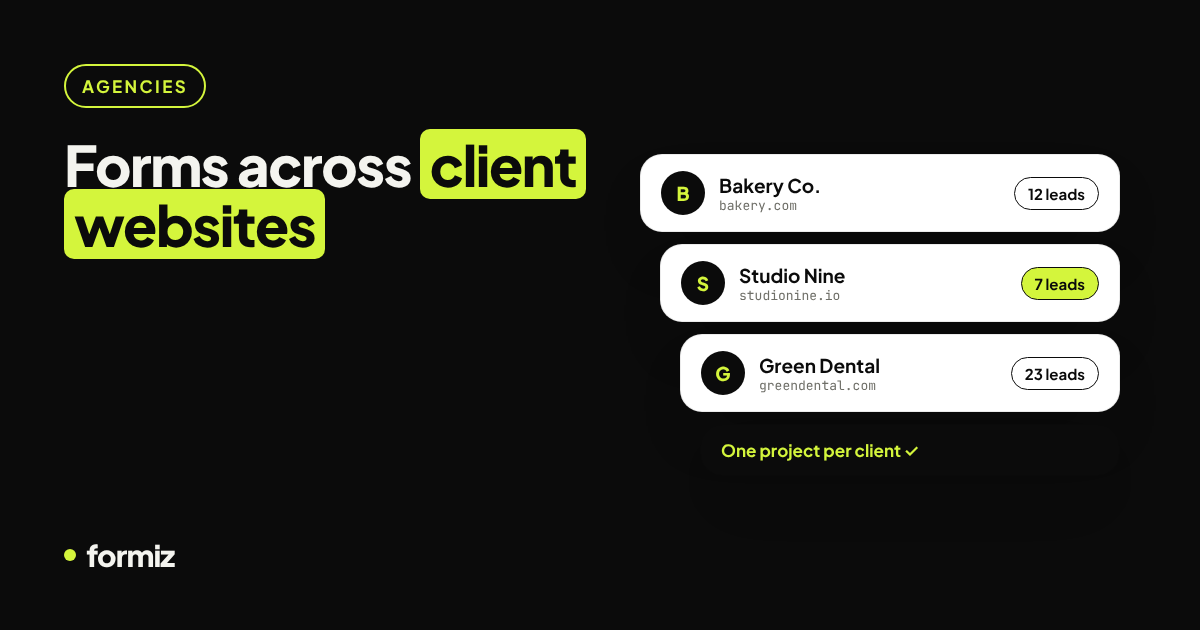
In Formiz, create a project for each client. Each project has its own access keys, forms, notification channels and team members, so client A's enquiries never appear in client B's notifications.
| Plan | Projects | Team members |
|---|---|---|
| Free | 1 | 1 |
| Pro | 5 | 3 |
| Business | Unlimited | 10 |
Check the pricing page for current limits.
A standard form snippet
Keep one tested snippet in your starter kit and reuse it on every build:
<form action="https://api.formiz.app/submit" method="POST">
  <input type="hidden" name="access_key" value="CLIENT_ACCESS_KEY">
  <input type="hidden" name="subject" value="New enquiry from {{site_name}}">
  <input type="checkbox" name="_honey" style="display:none" tabindex="-1" autocomplete="off">
  <!-- fields -->
</form>
It works the same on WordPress (Custom HTML block), Webflow (custom action), static sites, and React or Next.js builds. See the platform guides: WordPress, Webflow, Next.js.
Lock each key to the client's domain
Under Settings → Allowed domains, add the client's production domain (and staging while you test). A copied key will not work anywhere else.
Route notifications to the client
Add the client's email addresses under Channels. Each address confirms itself once, so you know it is real and spelled correctly. For clients who live on their phones, connect a Telegram group for that project and invite their team. See Telegram notifications.
Invite the client to the inbox
Give the client access to their project so they can see every submission, change its stage, add notes and export to CSV, without seeing your other clients.
The launch checklist (per site)
- Key restricted to the production domain
- Notification recipients confirmed
- Test submission from the live site, arriving by email (and Telegram)
- Reply to the test email and check it goes to the "visitor" address
- Thank-you page or success message in the client's tone
- Privacy notice next to the form (see GDPR checklist)
A longer version is in how to test your contact form.
Ongoing maintenance
- Monthly glance: open each project and check submissions are still arriving. A site that normally gets ten enquiries a month and suddenly gets none deserves a look.
- Staff changes: when the client's team changes, update recipients and team members.
- Rotate keys if a site is rebuilt by someone else or a key leaks: create a new key, update the site, delete the old one.
Turning it into a service
Many agencies bundle "lead handling" into their care plans: reliable delivery, spam filtering, a lead inbox and a monthly summary of enquiries. With the Claude connector you can even ask for a summary of a client's leads in plain English and paste it into your monthly report.
It turns the most fragile part of a brochure site into something you can stand behind.
Get your form working in five minutes
Create a free Formiz key, add it to your form and receive submissions by email and Telegram. No server, no SMTP, no card.