Request a Demo Form: Template and Best Practices for B2B SaaS
A request-a-demo form template for SaaS and B2B sites. Which fields to ask, how to qualify leads without killing conversion, routing to sales and fast follow-up.
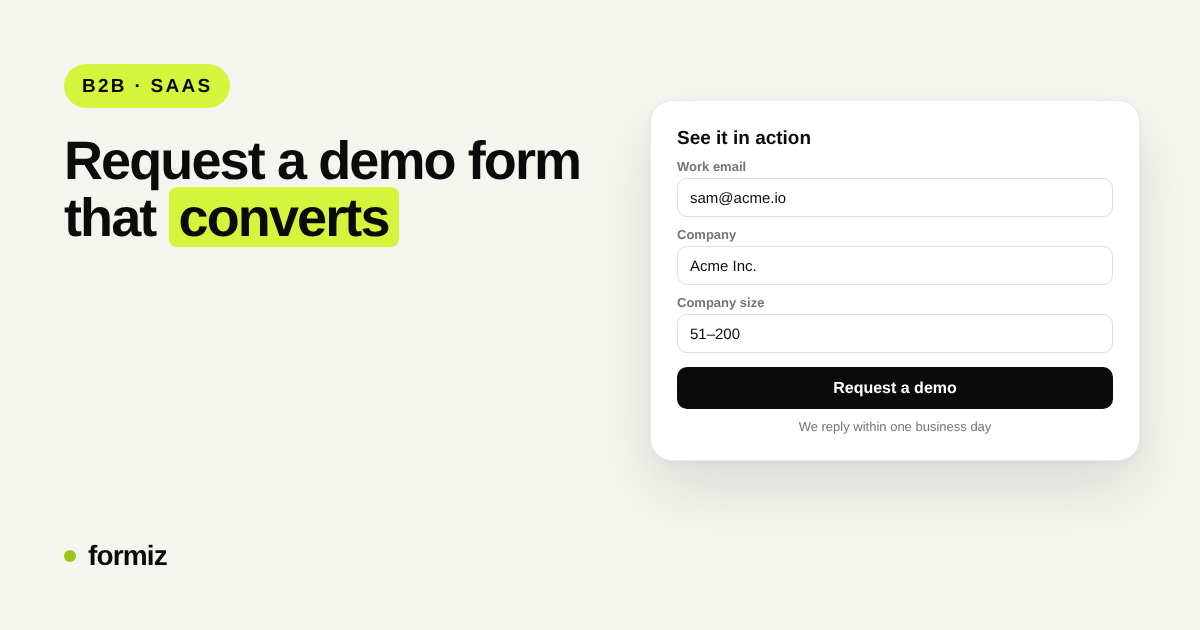
For a B2B product, the demo request is often the most valuable form on the site. Each submission is a potential customer raising their hand. The design challenge is balance: enough fields to know who you are talking to, few enough that busy people still finish.
Fields: start small
Required:
- Work email
- Name
- Company
Useful, optional or one dropdown each:
- Company size (1–10, 11–50, 51–200, 201–1,000, 1,000+)
- Role (founder, marketing, sales, engineering, other)
- "What would you like to see?" (free text)
Usually skip: phone number, budget, exact headcount, industry lists with 40 options. Each extra required field reduces completions; ask the rest on the call.
A good rule: if you would not change how you handle the lead based on an answer, do not ask the question.
The template
<form action="https://api.formiz.app/submit" method="POST" class="demo">
  <input type="hidden" name="access_key" value="YOUR_ACCESS_KEY">
  <input type="hidden" name="subject" value="Demo request">
  <input type="hidden" name="redirect" value="https://example.com/demo/thanks">
  <input type="hidden" name="utm_source">
  <input type="hidden" name="utm_campaign">
  <input type="checkbox" name="_honey" style="display:none" tabindex="-1" autocomplete="off">

  <label>Work email <input name="email" type="email" autocomplete="email" required></label>
  <label>Full name <input name="name" autocomplete="name" required></label>
  <label>Company <input name="company" autocomplete="organization" required></label>

  <label>Company size
    <select name="company_size">
      <option value="">Select</option>
      <option>1–10</option><option>11–50</option><option>51–200</option>
      <option>201–1,000</option><option>1,000+</option>
    </select>
  </label>

  <label>What would you like to see? (optional)
    <textarea name="message" rows="3"></textarea>
  </label>

  <button type="submit">Request a demo</button>
  <p class="fine">We reply within one business day. No spam.</p>
</form>
The UTM fields record which campaign brought the lead; fill them as shown in capturing UTM parameters.
Should you block free email addresses?
Some teams reject Gmail and Outlook addresses to keep leads "business only". It filters out some low-intent requests, but also founders and freelancers who use personal email, and people who simply mistype. A softer approach: accept everything and sort leads by company size and email domain afterwards.
Speed wins demos
Demo leads cool quickly. The faster someone hears back, the more likely they show up to the call.
- Notify sales instantly in Slack or on Telegram.
- Send an auto-reply with a booking link, so motivated leads can pick a time right away: "Thanks {name}, grab a slot here or we will email you within a day." See contact form auto-reply.
- Route to a CRM with a webhook to HubSpot, Pipedrive or a spreadsheet via Make or Zapier.
Track the pipeline
Use the stages in your lead inbox as a mini sales pipeline:
| Stage | Meaning for demos |
|---|---|
| New | Request received |
| Contacted | Replied / booking link sent |
| Proposal | Demo held, trial or quote sent |
| Won | Became a customer |
| Lost | Not a fit, or went quiet |
Assign each request to a salesperson and keep call notes on the lead. Then measure what actually matters: which sources and pages produce won demos, not just form fills. See contact form analytics and following up website leads.
Thank-you page ideas
Do not waste the moment after submission:
- Embed your scheduling tool so they can book immediately.
- Link a short product video or case study.
- Set expectations: "You will hear from Sam, our solutions lead, within one business day."
Get your form working in five minutes
Create a free Formiz key, add it to your form and receive submissions by email and Telegram. No server, no SMTP, no card.